Такси Ветерок on Windows Pc
Developed By: Taxi Veterok
License: Free
Rating: 4,4/5 - 995 votes
Last Updated: August 05, 2026
App Details
| Version |
3.16.11 |
| Size |
23.7 MB |
| Release Date |
December 14, 25 |
| Category |
Auto & Vehicles Apps |
|
App Permissions:
Allows an app to access approximate location. [see more (16)]
|
|
What's New:
Вводите промокод VETEROK2021 и получайте 100 ₽ на поездки 🎁 Мы постоянно усовершенствуем и дорабатываем новую версию приложения для заказа такси. Исправили... [see more]
|
|
Description from Developer:
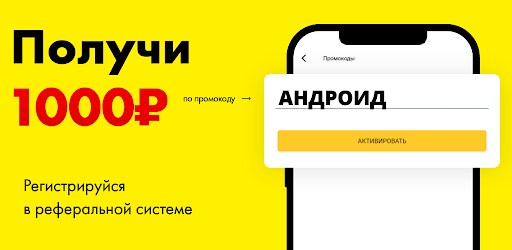
💸 A friend will receive 1000₽.
💸 200₽ you will receive.
Take part in the “Share with Friends” campaign.
🗣Tell your friends about the benefits of the Taxi Veterok application and r... [read more]
|
About this app
On this page you can download Такси Ветерок and install on Windows PC. Такси Ветерок is free Auto & Vehicles app, developed by Taxi Veterok. Latest version of Такси Ветерок is 3.16.11, was released on 2025-12-14 (updated on 2026-08-05). Estimated number of the downloads is more than 50,000. Overall rating of Такси Ветерок is 4,4. Generally most of the top apps on Android Store have rating of 4+. This app had been rated by 995 users, 773 users had rated it 5*, 110 users had rated it 1*.
How to install Такси Ветерок on Windows?
Instruction on how to install Такси Ветерок on Windows 10 Windows 11 PC & Laptop
In this post, I am going to show you how to install Такси Ветерок on Windows PC by using Android App Player such as BlueStacks, LDPlayer, Nox, KOPlayer, ...
Before you start, you will need to download the APK/XAPK installer file, you can find download button on top of this page. Save it to easy-to-find location.
[Note] You can also download older versions of this app on bottom of this page.
Below you will find a detailed step-by-step guide, but I want to give you a fast overview of how it works. All you need is an emulator that will emulate an Android device on your Windows PC and then you can install applications and use it - you see you're playing it on Android, but this runs not on a smartphone or tablet, it runs on a PC.
If this doesn't work on your PC, or you cannot install, comment here and we will help you!
Step By Step Guide To Install Такси Ветерок using BlueStacks
- Download and Install BlueStacks at: https://www.bluestacks.com. The installation procedure is quite simple. After successful installation, open the Bluestacks emulator. It may take some time to load the Bluestacks app initially. Once it is opened, you should be able to see the Home screen of Bluestacks.
- Open the APK/XAPK file: Double-click the APK/XAPK file to launch BlueStacks and install the application. If your APK/XAPK file doesn't automatically open BlueStacks, right-click on it and select Open with... Browse to the BlueStacks. You can also drag-and-drop the APK/XAPK file onto the BlueStacks home screen
- Once installed, click "Такси Ветерок" icon on the home screen to start using, it'll work like a charm :D
[Note 1] For better performance and compatibility, choose BlueStacks 5 Nougat 64-bit read more
[Note 2] about Bluetooth: At the moment, support for Bluetooth is not available on BlueStacks. Hence, apps that require control of Bluetooth may not work on BlueStacks.
How to install Такси Ветерок on Windows PC using NoxPlayer
- Download & Install NoxPlayer at: https://www.bignox.com. The installation is easy to carry out.
- Drag the APK/XAPK file to the NoxPlayer interface and drop it to install
- The installation process will take place quickly. After successful installation, you can find "Такси Ветерок" on the home screen of NoxPlayer, just click to open it.
Discussion
(*) is required
💸 A friend will receive 1000₽.
💸 200₽ you will receive.
Take part in the “Share with Friends” campaign.
🗣Tell your friends about the benefits of the Taxi Veterok application and receive a 200₽ bonus for each friend who installs the application and completes three orders through it. In addition, each friend will immediately receive 1,000 bonus rubles for travel.
With the application "Taxi Veterok" you can quickly call a taxi to any point you need. The application instantly determines your location and finds the nearest available cars, after which you select the most suitable option. In the order details, you indicate special requirements, for example, the presence of a child seat or the need to transport an animal.
"Taxi Veterok" provides a user-friendly interface and fast order processing. You can track your taxi route in real time and receive notifications when the assigned vehicle arrives. In addition, the application allows you to calculate the cost of a trip without placing an order, this will allow you to get an idea of the price before you decide to call a taxi.
The Taxi Veterok application supports various payment methods, including bank cards and corporate accounts. You can link your bank card to the application for convenient and fast payment for taxi services.
"Taxi Veterok" offers several tariffs for the convenience and benefit of its customers:
🚕 "Economy" is the most affordable tariff for those who are looking for the most economical transportation solution. Ideal for daily trips around the city.
🚗 "Comfort" - drivers on this tariff use cars with a higher level of comfort and quality.
🚖 "Business" - tariff for business trips and meetings. Drivers on a business tariff use business class cars and provide additional VIP travel services.
🚌 "Minivan" - a tariff for traveling in a large group. Cars at this tariff have greater capacity and amenities for transporting a group of people or large luggage.
🚚 "Freight" - a tariff for transporting goods over any distance. Cars on this tariff have increased carrying capacity and can transport cargo of any size.
📦 "Courier" - a tariff for fast and reliable delivery of parcels and cargo. Drivers on this tariff provide prompt delivery not only within the city, but also to other regions.
🛍️ “We’ll buy and deliver” - a tariff that allows you to save time and effort by ordering purchases in stores and delivering them directly to your home. Drivers using this tariff are able to not only buy the necessary things, but also deliver them exactly at the specified time.
When choosing a tariff from Taxi Veterok, you can be sure that you will receive the optimal ratio of price and quality of service, as well as convenience and reliability when traveling.
🏅We have been working since 2013
Вводите промокод VETEROK2021 и получайте 100 ₽ на поездки 🎁
Мы постоянно усовершенствуем и дорабатываем новую версию приложения для заказа такси.
Исправили карты OSM
Allows an app to access approximate location.
Allows an app to access precise location.
Allows applications to access information about networks.
Allows applications to open network sockets.
Allows applications to access information about Wi-Fi networks.
Allows applications to change Wi-Fi connectivity state.
Allows read only access to phone state, including the phone number of the device, current cellular network information, the status of any ongoing calls, and a list of any PhoneAccounts registered on the device.
Allows using PowerManager WakeLocks to keep processor from sleeping or screen from dimming.
This constant was deprecated in API level 21. No longer enforced.
Allows access to the vibrator.
Allows a calling application which manages it own calls through the self-managed ConnectionService APIs.
Allows an app to use fingerprint hardware.
Allows an application to record audio.
Allows an application to modify global audio settings.
Allows applications to connect to paired bluetooth devices.
Allows an application to receive the ACTION_BOOT_COMPLETED that is broadcast after the system finishes booting.


