CaloriScan - AI Diet Tracker on Windows Pc
Developed By: TechTenStein Services Pvt Ltd
License: Free
Rating: 5,0/5 - 1 votes
Last Updated: August 04, 2026
App Details
| Version |
1.0.0 |
| Size |
56.4 MB |
| Release Date |
October 27, 25 |
| Category |
Health & Fitness Apps |
|
App Permissions:
Allows an application to read from external storage. [see more (6)]
|
|
What's New:
Initial Release [see more]
|
|
Description from Developer:
Transform Your Nutrition Journey with AI-Powered CaloriScan!
CaloriScan is your ultimate AI-powered nutrition companion that makes healthy eating effortless. Simply snap a photo o... [read more]
|
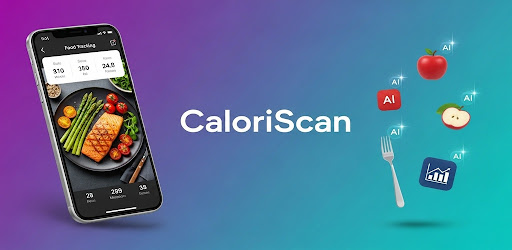
About this app
On this page you can download CaloriScan - AI Diet Tracker and install on Windows PC. CaloriScan - AI Diet Tracker is free Health & Fitness app, developed by TechTenStein Services Pvt Ltd. Latest version of CaloriScan - AI Diet Tracker is 1.0.0, was released on 2025-10-27 (updated on 2026-08-04). Estimated number of the downloads is more than 50. Overall rating of CaloriScan - AI Diet Tracker is 5,0. Generally most of the top apps on Android Store have rating of 4+. This app had been rated by 1 users, 1 users had rated it 5*, 0 users had rated it 1*.
How to install CaloriScan - AI Diet Tracker on Windows?
Instruction on how to install CaloriScan - AI Diet Tracker on Windows 10 Windows 11 PC & Laptop
In this post, I am going to show you how to install CaloriScan - AI Diet Tracker on Windows PC by using Android App Player such as BlueStacks, LDPlayer, Nox, KOPlayer, ...
Before you start, you will need to download the APK/XAPK installer file, you can find download button on top of this page. Save it to easy-to-find location.
[Note] You can also download older versions of this app on bottom of this page.
Below you will find a detailed step-by-step guide, but I want to give you a fast overview of how it works. All you need is an emulator that will emulate an Android device on your Windows PC and then you can install applications and use it - you see you're playing it on Android, but this runs not on a smartphone or tablet, it runs on a PC.
If this doesn't work on your PC, or you cannot install, comment here and we will help you!
Step By Step Guide To Install CaloriScan - AI Diet Tracker using BlueStacks
- Download and Install BlueStacks at: https://www.bluestacks.com. The installation procedure is quite simple. After successful installation, open the Bluestacks emulator. It may take some time to load the Bluestacks app initially. Once it is opened, you should be able to see the Home screen of Bluestacks.
- Open the APK/XAPK file: Double-click the APK/XAPK file to launch BlueStacks and install the application. If your APK/XAPK file doesn't automatically open BlueStacks, right-click on it and select Open with... Browse to the BlueStacks. You can also drag-and-drop the APK/XAPK file onto the BlueStacks home screen
- Once installed, click "CaloriScan - AI Diet Tracker" icon on the home screen to start using, it'll work like a charm :D
[Note 1] For better performance and compatibility, choose BlueStacks 5 Nougat 64-bit read more
[Note 2] about Bluetooth: At the moment, support for Bluetooth is not available on BlueStacks. Hence, apps that require control of Bluetooth may not work on BlueStacks.
How to install CaloriScan - AI Diet Tracker on Windows PC using NoxPlayer
- Download & Install NoxPlayer at: https://www.bignox.com. The installation is easy to carry out.
- Drag the APK/XAPK file to the NoxPlayer interface and drop it to install
- The installation process will take place quickly. After successful installation, you can find "CaloriScan - AI Diet Tracker" on the home screen of NoxPlayer, just click to open it.
Discussion
(*) is required
Transform Your Nutrition Journey with AI-Powered CaloriScan!
CaloriScan is your ultimate AI-powered nutrition companion that makes healthy eating effortless. Simply snap a photo of your meal and let our advanced Gemini AI instantly analyze calories, macros, and portion sizes. Get personalized diet coaching, track your progress, and achieve your health goals faster than ever!
✨ KEY FEATURES:
🤖 AI FOOD SCANNER
• Instant food recognition - just snap a photo!
• Accurate calorie & macro calculations
• Portion size estimation in grams
• Detailed nutritional breakdown
• Works with ANY food - homemade or restaurant meals
👨⚕️ PERSONALIZED AI DIET COACH
• Get customized diet plans based on YOUR goals
• Ask nutrition questions anytime - 24/7 AI support
• Meal suggestions tailored to your preferences
• Expert advice for weight loss, muscle gain, or maintenance
• Real-time diet analysis and recommendations
📊 SMART FOOD TRACKING
• Visual food diary with meal-by-meal organization
• Breakfast, lunch, dinner, and snack tracking
• Barcode scanner for packaged foods
• Search 800,000+ foods in database
• Add custom meals and recipes
🎯 GOAL-BASED NUTRITION
• Set personalized calorie & macro goals
• Track protein, carbs, and fats
• Monitor daily, weekly, and monthly progress
• Beautiful charts and statistics
• Weight progress tracker with BMI calculator
💧 HYDRATION TRACKING
• Daily water intake monitoring
• Smart reminders to stay hydrated
• AI-powered hydration insights
• Weekly progress charts
• Correlation with nutrition goals
📈 COMPREHENSIVE ANALYTICS
• Progress charts and graphs
• Calorie intake trends
• Weight loss/gain visualization
• Macro distribution pie charts
• Achievement tracking
💪 WHY CHOOSE CALORISCAN?
✓ AI-POWERED: Advanced Gemini 2.5 AI for accurate food recognition
✓ EASY TO USE: Snap, scan, done! No manual entry needed
✓ PERSONALIZED: Tailored advice based on YOUR unique goals
✓ COMPREHENSIVE: All-in-one nutrition tracking solution
✓ FREE: Core features available at no cost
✓ OFFLINE CAPABLE: Access your data anytime
✓ BEAUTIFUL DESIGN: Modern, intuitive interface
✓ PRIVACY FOCUSED: Your data stays on your device
🎯 PERFECT FOR:
• Weight loss and weight management
• Muscle building and fitness goals
• Diabetes and health condition management
• Athletes and bodybuilders
• Anyone wanting to eat healthier
• Tracking macros for keto, paleo, or any diet
• Nutrition education and awareness
📱 FEATURES AT A GLANCE:
✅ AI Food Recognition (Gemini 2.5)
✅ Calorie Counter & Tracker
✅ Macro Tracking (Protein, Carbs, Fat)
✅ Personalized AI Diet Coach
✅ Meal Planning & Recipes
✅ Barcode Scanner
✅ Food Database Search
✅ Weight Progress Tracker
✅ Hydration Monitoring
✅ BMI Calculator
✅ Nutrition Goals Setting
✅ Daily Food Diary
✅ Progress Charts & Analytics
✅ Meal-by-Meal Organization
✅ Common Foods Library
✅ Analysis History
✅ Beautiful Material Design UI
🌟 HOW IT WORKS:
1. Take a photo of your meal
2. AI analyzes and identifies food items
3. Get instant calorie & macro breakdown
4. Track your daily nutrition automatically
5. Receive personalized diet recommendations
6. Monitor your progress with charts
7. Achieve your health goals!
🔐 PRIVACY & SECURITY:
Your health data is precious. All your information is stored locally on your device. We use end-to-end encryption when communicating with AI services. Your photos and nutrition data are never shared without your consent.
💡 SMART AI INSIGHTS:
Our AI doesn't just count calories - it understands your nutrition patterns, provides context-aware recommendations, and helps you make better food choices. Get insights on:
• Meal timing optimization
• Macro balance suggestions
• Hydration correlation with diet
• Progress predictions
• Motivational coaching
🆓 FREE FEATURES:
• Unlimited food scanning
• AI diet coach chat
• Food diary tracking
• Weight progress monitoring
• Hydration tracking
• Basic meal planning
• Progress charts
📲 DOWNLOAD NOW!
Initial Release
Allows an application to read from external storage.
Allows applications to open network sockets.
Allows applications to access information about networks.
Required to be able to access the camera device.
Allows an application to record audio.
Allows using PowerManager WakeLocks to keep processor from sleeping or screen from dimming.


