IG Status & Story Saver on Windows Pc
Developed By: VidVault Studios
License: Free
Rating: 5,0/5 - 1 votes
Last Updated: August 04, 2026
App Details
| Version |
1.0.5 |
| Size |
104 MB |
| Release Date |
December 24, 25 |
| Category |
Tools Apps |
|
App Permissions:
Allows applications to open network sockets. [see more (3)]
|
|
What's New:
We’ve improved profile accuracy and app reliability.• Fixed an issue where usernames were not appearing• Fixed incorrect profile pictures being displayed•... [see more]
|
|
Description from Developer:
Save videos, photos and extract audios instantly. Easy, fast and reliable to use.
How It Works:
Copy any media link you want to download.
Open our downloader app.
Paste the link... [read more]
|
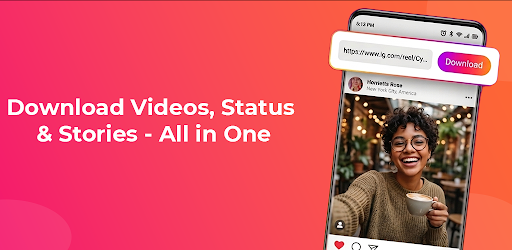
About this app
On this page you can download IG Status & Story Saver and install on Windows PC. IG Status & Story Saver is free Tools app, developed by VidVault Studios. Latest version of IG Status & Story Saver is 1.0.5, was released on 2025-12-24 (updated on 2026-08-04). Estimated number of the downloads is more than 1,000. Overall rating of IG Status & Story Saver is 5,0. Generally most of the top apps on Android Store have rating of 4+. This app had been rated by 1 users, 1 users had rated it 5*, 0 users had rated it 1*.
How to install IG Status & Story Saver on Windows?
Instruction on how to install IG Status & Story Saver on Windows 10 Windows 11 PC & Laptop
In this post, I am going to show you how to install IG Status & Story Saver on Windows PC by using Android App Player such as BlueStacks, LDPlayer, Nox, KOPlayer, ...
Before you start, you will need to download the APK/XAPK installer file, you can find download button on top of this page. Save it to easy-to-find location.
[Note] You can also download older versions of this app on bottom of this page.
Below you will find a detailed step-by-step guide, but I want to give you a fast overview of how it works. All you need is an emulator that will emulate an Android device on your Windows PC and then you can install applications and use it - you see you're playing it on Android, but this runs not on a smartphone or tablet, it runs on a PC.
If this doesn't work on your PC, or you cannot install, comment here and we will help you!
Step By Step Guide To Install IG Status & Story Saver using BlueStacks
- Download and Install BlueStacks at: https://www.bluestacks.com. The installation procedure is quite simple. After successful installation, open the Bluestacks emulator. It may take some time to load the Bluestacks app initially. Once it is opened, you should be able to see the Home screen of Bluestacks.
- Open the APK/XAPK file: Double-click the APK/XAPK file to launch BlueStacks and install the application. If your APK/XAPK file doesn't automatically open BlueStacks, right-click on it and select Open with... Browse to the BlueStacks. You can also drag-and-drop the APK/XAPK file onto the BlueStacks home screen
- Once installed, click "IG Status & Story Saver" icon on the home screen to start using, it'll work like a charm :D
[Note 1] For better performance and compatibility, choose BlueStacks 5 Nougat 64-bit read more
[Note 2] about Bluetooth: At the moment, support for Bluetooth is not available on BlueStacks. Hence, apps that require control of Bluetooth may not work on BlueStacks.
How to install IG Status & Story Saver on Windows PC using NoxPlayer
- Download & Install NoxPlayer at: https://www.bignox.com. The installation is easy to carry out.
- Drag the APK/XAPK file to the NoxPlayer interface and drop it to install
- The installation process will take place quickly. After successful installation, you can find "IG Status & Story Saver" on the home screen of NoxPlayer, just click to open it.
Discussion
(*) is required
Save videos, photos and extract audios instantly. Easy, fast and reliable to use.
How It Works:
Copy any media link you want to download.
Open our downloader app.
Paste the link into download field.
Tap download button to save your media instantly or turn on auto download option.
Looking for a fast and reliable way to download videos, photos, and audio from social media links? This powerful media downloader makes saving your favorite content quick, and simple. With an easy to use interface and real time downloading technology, you can save high quality media directly to your phone just in a seconds and also enjoy extracting audio from any video. Set wallpapers with downloaded media and set your phone ringtones with one tap.
This app is designed for users who want to enjoy a smooth and efficient downloading experience. Whether you want to save entertaining shorts, clips, photos, or audio content, the app provides a seamless way to download. You can also select the quality of downloading videos, multiple formats are supported in our app e.g: HD, SD & FHD. All downloads are stored safely on your device so you can view them anytime, even without an internet connection.
This app is a perfect choice for downloading video clips from inst so you can enjoy videos and images exactly as they show online. With a fast downloading process and smart link detection technology, the downloader automatically detects media links and prepares them for download instantly. Just copy a link or paste it into our app, the download begins and enjoy your video. You can also share downloaded media to anyone from our app for free.
Managing your saved media (images, videos, and audio) is also simple. You can view, play, share, or delete files directly from our app. The built in media manager allows you to organize videos, images, and audio files easily, you can sort them wit the following ways:
- Largest to smallest
- Smallest to Largest
- Sort By Newest
- Sort By Oldest
- Sort By Longest Duration
- Sort By Shortest Duration
- Sort Alphabetically (A-Z)
- Sort Alphabetically (Z-A)
Your privacy and security is very important to us. The inst-downloader App works safely and ensures your personal data remains protected while you save media content. This will only download videos, pictures and stories that you choose and stores it locally on your phone. Fast and easy downloader app is designed to provide a smooth and reliable downloading experience for everyone. Whether you want to save entertaining videos, inspirational clips, or beautiful photos, this downloader makes it simple and fast.
Key Features:
• Fast video, photo downloader, and audio extractor
• High quality HD media downloads
• Simply copy and paste link to download you favorite content
• Smart link detection feature
• Easy built in video and photo viewer
• Batch Downloads for saving multiple files quickly
• Get content of Recently Viewed Profiles
• Easy media management tools
• Simple to use this downloading app
• Secure and private downloading experience
Download this easy and fast downloader app now and start saving your favorite media content directly to your phone with just a few taps.
Disclaimer:
We respect the rights and ownership of all content creators.
All videos, photos, stories, reels, and highlights belong to their respective owners. Please obtain permission before downloading or using any content.
This app is not affiliated with or endorsed by Instagram. It is an independent tool for downloading Instagram photos and videos.
We’ve improved profile accuracy and app reliability.
• Fixed an issue where usernames were not appearing
• Fixed incorrect profile pictures being displayed
• Improved overall performance and stability
Allows applications to open network sockets.
Allows using PowerManager WakeLocks to keep processor from sleeping or screen from dimming.
Allows applications to access information about networks.


