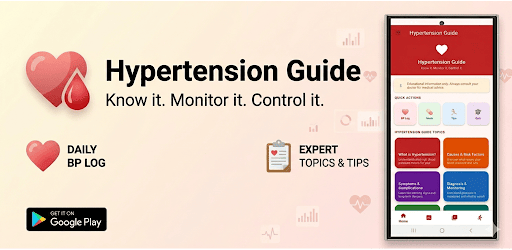
Hypertension guide app on Windows Pc
Developed By: Pentalon technologies
License: Free
Rating: 5,0/5 - 1 votes
Last Updated: August 04, 2026
App Details
| Version |
3.1 |
| Size |
1 MB |
| Release Date |
June 03, 26 |
| Category |
Health & Fitness Apps |
|
Description from Developer:
❤️ HYPERTENSION GUIDE — Know Your Numbers. Protect Your Heart.
Hypertension (high blood pressure) affects over 1.28 billion people worldwide and is one of the leading causes of he... [read more]
|
About this app
On this page you can download Hypertension guide app and install on Windows PC. Hypertension guide app is free Health & Fitness app, developed by Pentalon technologies. Latest version of Hypertension guide app is 3.1, was released on 2026-06-03 (updated on 2026-08-04). Estimated number of the downloads is more than 1. Overall rating of Hypertension guide app is 5,0. Generally most of the top apps on Android Store have rating of 4+. This app had been rated by 1 users, 1 users had rated it 5*, 0 users had rated it 1*.
How to install Hypertension guide app on Windows?
Instruction on how to install Hypertension guide app on Windows 10 Windows 11 PC & Laptop
In this post, I am going to show you how to install Hypertension guide app on Windows PC by using Android App Player such as BlueStacks, LDPlayer, Nox, KOPlayer, ...
Before you start, you will need to download the APK/XAPK installer file, you can find download button on top of this page. Save it to easy-to-find location.
[Note] You can also download older versions of this app on bottom of this page.
Below you will find a detailed step-by-step guide, but I want to give you a fast overview of how it works. All you need is an emulator that will emulate an Android device on your Windows PC and then you can install applications and use it - you see you're playing it on Android, but this runs not on a smartphone or tablet, it runs on a PC.
If this doesn't work on your PC, or you cannot install, comment here and we will help you!
Step By Step Guide To Install Hypertension guide app using BlueStacks
- Download and Install BlueStacks at: https://www.bluestacks.com. The installation procedure is quite simple. After successful installation, open the Bluestacks emulator. It may take some time to load the Bluestacks app initially. Once it is opened, you should be able to see the Home screen of Bluestacks.
- Open the APK/XAPK file: Double-click the APK/XAPK file to launch BlueStacks and install the application. If your APK/XAPK file doesn't automatically open BlueStacks, right-click on it and select Open with... Browse to the BlueStacks. You can also drag-and-drop the APK/XAPK file onto the BlueStacks home screen
- Once installed, click "Hypertension guide app" icon on the home screen to start using, it'll work like a charm :D
[Note 1] For better performance and compatibility, choose BlueStacks 5 Nougat 64-bit read more
[Note 2] about Bluetooth: At the moment, support for Bluetooth is not available on BlueStacks. Hence, apps that require control of Bluetooth may not work on BlueStacks.
How to install Hypertension guide app on Windows PC using NoxPlayer
- Download & Install NoxPlayer at: https://www.bignox.com. The installation is easy to carry out.
- Drag the APK/XAPK file to the NoxPlayer interface and drop it to install
- The installation process will take place quickly. After successful installation, you can find "Hypertension guide app" on the home screen of NoxPlayer, just click to open it.
Discussion
(*) is required
❤️ HYPERTENSION GUIDE — Know Your Numbers. Protect Your Heart.
Hypertension (high blood pressure) affects over 1.28 billion people worldwide and is one of the leading causes of heart attack, stroke, and kidney disease. Most people living with high blood pressure have no symptoms at all.
Hypertension Guide is your all in one, evidence based companion for understanding, tracking, and managing blood pressure completely free with no registration required.
📊 BP TRACKER
Log your blood pressure readings anytime. Enter your systolic, diastolic, and pulse values, add optional notes, and instantly see your reading classified by category: Normal, Elevated, Stage 1, Stage 2, or Hypertensive Crisis, along with clear and practical advice for each result. Your full history is stored privately on your device.
📚 LEARN: 8 IN DEPTH GUIDES
Explore a library of comprehensive, medically accurate articles written in plain English:
• What is Hypertension? (causes, types, and global impact)
• Causes & Risk Factors (modifiable and non modifiable risks)
• Symptoms & Complications (what to watch for)
• Diagnosis & Testing (how blood pressure is measured and classified)
• Treatment Options (lifestyle changes and medication overview)
• DASH Diet Guide (a proven diet to lower blood pressure naturally)
• Exercise & Hypertension (safe and effective routines)
• Stress & Mental Health (understanding the cortisol and blood pressure connection)
🥗 NUTRITION GUIDE
Discover 12 foods proven to help lower blood pressure, including beetroot, leafy greens, oily fish, and dark chocolate, along with 10 foods to limit such as processed meats and excessive caffeine. Built around DASH diet principles supported by clinical research.
🌿 LIFESTYLE TIPS
Learn 12 evidence based lifestyle changes, each rated by impact level (★★★★★), with detailed explanations covering weight management, exercise, sleep quality, stress reduction, quitting smoking, potassium intake, and more.
💊 MEDICATION GUIDE
A comprehensive educational reference covering 8 classes of blood pressure medications including ACE inhibitors, ARBs, calcium channel blockers, diuretics, beta blockers, alpha blockers, aldosterone antagonists, and vasodilators. Learn how each works, common brand examples, and possible side effects.
🧠 HYPERTENSION QUIZ
Test and strengthen your knowledge with 15 expert level multiple choice questions featuring instant feedback and detailed explanations for every answer. Ideal for patients, carers, students, and healthcare professionals.
🚨 EMERGENCY GUIDE
Know what to do during a hypertensive crisis. Includes clear warning signs, one tap emergency call buttons (999 / 111), step by step guidance while waiting for help, and a simple explanation of the difference between hypertensive emergency and hypertensive urgency.
🔒 YOUR PRIVACY MATTERS
All blood pressure readings are stored only on your device, never uploaded and never shared. No account or login is required, and no personal data is collected.
✅ WHY CHOOSE HYPERTENSION GUIDE?
• 100% free with no paywalls or locked content
• No login or account required, just open and use immediately
• Works fully offline for educational content
• Beginner friendly language with medically accurate information
• Clean and intuitive design suitable for all ages
• Regular updates with new educational content
⚕️ MEDICAL DISCLAIMER
This app is for general educational purposes only and does not provide medical advice, diagnosis, or treatment. Always consult your doctor or a qualified healthcare professional regarding any health concerns or before making changes to your medication or lifestyle.
Take control of your blood pressure today. Download Hypertension Guide today, free, private, and always in your pocket