Air Caraïbes - Travels on Windows Pc
Developed By: Air Caraïbes
License: Free
Rating: 4,0/5 - 946 votes
Last Updated: August 04, 2026
App Details
| Version |
6.0.2 |
| Size |
87.2 MB |
| Release Date |
December 23, 25 |
| Category |
Maps & Navigation Apps |
|
App Permissions:
Allows applications to open network sockets. [see more (10)]
|
|
What's New:
New version available!- Stability improvements- Enhanced security- Graphic optimizations for a smoother and more pleasant app experience [see more]
|
|
Description from Developer:
With the Air Caraïbes application, your travel is simplified. This travel assistant accompanies you from the planning until the end of your flight.
You will be able to take advanta... [read more]
|
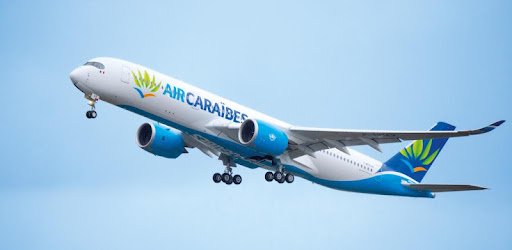
About this app
On this page you can download Air Caraïbes - Travels and install on Windows PC. Air Caraïbes - Travels is free Maps & Navigation app, developed by Air Caraïbes. Latest version of Air Caraïbes - Travels is 6.0.2, was released on 2025-12-23 (updated on 2026-08-04). Estimated number of the downloads is more than 100,000. Overall rating of Air Caraïbes - Travels is 4,0. Generally most of the top apps on Android Store have rating of 4+. This app had been rated by 946 users, 567 users had rated it 5*, 0 users had rated it 1*.
How to install Air Caraïbes - Travels on Windows?
Instruction on how to install Air Caraïbes - Travels on Windows 10 Windows 11 PC & Laptop
In this post, I am going to show you how to install Air Caraïbes - Travels on Windows PC by using Android App Player such as BlueStacks, LDPlayer, Nox, KOPlayer, ...
Before you start, you will need to download the APK/XAPK installer file, you can find download button on top of this page. Save it to easy-to-find location.
[Note] You can also download older versions of this app on bottom of this page.
Below you will find a detailed step-by-step guide, but I want to give you a fast overview of how it works. All you need is an emulator that will emulate an Android device on your Windows PC and then you can install applications and use it - you see you're playing it on Android, but this runs not on a smartphone or tablet, it runs on a PC.
If this doesn't work on your PC, or you cannot install, comment here and we will help you!
Step By Step Guide To Install Air Caraïbes - Travels using BlueStacks
- Download and Install BlueStacks at: https://www.bluestacks.com. The installation procedure is quite simple. After successful installation, open the Bluestacks emulator. It may take some time to load the Bluestacks app initially. Once it is opened, you should be able to see the Home screen of Bluestacks.
- Open the APK/XAPK file: Double-click the APK/XAPK file to launch BlueStacks and install the application. If your APK/XAPK file doesn't automatically open BlueStacks, right-click on it and select Open with... Browse to the BlueStacks. You can also drag-and-drop the APK/XAPK file onto the BlueStacks home screen
- Once installed, click "Air Caraïbes - Travels" icon on the home screen to start using, it'll work like a charm :D
[Note 1] For better performance and compatibility, choose BlueStacks 5 Nougat 64-bit read more
[Note 2] about Bluetooth: At the moment, support for Bluetooth is not available on BlueStacks. Hence, apps that require control of Bluetooth may not work on BlueStacks.
How to install Air Caraïbes - Travels on Windows PC using NoxPlayer
- Download & Install NoxPlayer at: https://www.bignox.com. The installation is easy to carry out.
- Drag the APK/XAPK file to the NoxPlayer interface and drop it to install
- The installation process will take place quickly. After successful installation, you can find "Air Caraïbes - Travels" on the home screen of NoxPlayer, just click to open it.
Discussion
(*) is required
With the Air Caraïbes application, your travel is simplified. This travel assistant accompanies you from the planning until the end of your flight.
You will be able to take advantage of the latest promotions for the Antilles, access airline ticket reservations, create and manage your personal space and your Préférence Air Caraïbes loyalty card, take advantage of Air Caraïbes customer benefits and, if necessary, contact us.
Whether or not you already have an Air Caraïbes personal space, many features await you:
BOOK AND PURCHASE YOUR TICKET
Connected or anonymously, access the reservation from the application on all routes served by Air Caraïbes: Guadeloupe, Martinique, Guyana, Dominican Republic or Reunion Island ...
You have the option of choosing one-way or return flights, direct or with stopover (s), in Sun (Economy), Caribbean (Premium Economy) or Madras (Business) class.
PROMOTIONS
Depending on your place of departure, view all the current offers. You will be able to filter according to your preferences and even customize alerts. Enter for example the desired price range for a flight to Guadeloupe and save your search to receive personalized notifications.
PRACTICAL INFORMATION & FAQ
Consult at any time the practical information before, during and after flight. A doubt about the authorized baggage or the health protocol? Consult our frequently asked questions directly, you will certainly find the answer to your question.
TRAFFIC INFO
Find the flight status of the day in real time. Search by route or flight number, whether you are a traveler or want to learn about the trip of a loved one.
CONTACT
You can contact us in case of problem or simply give us your comments.
Our after-sales service is available 7 days a week.
YOUR PERSONAL AIR CARAÏBES AREA
You will find your personal information, your preferences, your travel history. Manage and import your upcoming trips, or store your preferred seat number.
YOUR LOYALTY PROGRAM
Create your Préférence card directly on the application and take advantage of its advantages. You can know your balance and view your mileage history (earnings, and expenses). You will also find information on how to use your earned miles.
And you can even simulate mileage gain on a trip directly in the app, by entering the route, date of flight and class of travel.
The Air Caraïbes application is your ideal travel companion for the Antilles / Caribbean and Guyana from Paris Orly or even the Province (Train + Air offer).
Welcome aboard this colorful Air Caraïbes flight!
ABOUT AIR CARAÏBES
We are an airline with Caribbean DNA that reflects the Caribbean spirit, its passions, its colors, its generosity and its sense of hospitality. The spirit of the Caribbean and Guyana is a very spicy recipe of conviviality, exchanges, warmth, smiles, where the sense of hospitality is deeply rooted in the roots of the company, whose headquarters is based in Guadeloupe.
Our destinations:
• Cuba
• Curacao
• Guadeloupe
• Guyana
• Haiti
• Dominica
• The meeting
• The Bahamas
• Martinique
• Paris
• Dominican Republic
• Saba
• Saint-Barthélemy
• Saint-Eustache
• Saint-Martin
• St. LUCIA
• Tahiti
• Tortola
3 good reasons to join us:
• A warm welcome on board with Caribbean musical sounds and announcements made in Creole.
• The choice of local products and dishes with Caribbean flavors (rum, planter, juice, chili…).
• A company committed to the preservation and protection of destinations served in the Caribbean and Guyana, with a modern fleet that is more respectful of the environment.
New version available!
- Stability improvements
- Enhanced security
- Graphic optimizations for a smoother and more pleasant app experience
Allows applications to open network sockets.
Allows applications to access information about networks.
Allows an application to read the user's calendar data.
Allows an application to write the user's calendar data.
Allows an app to access approximate location.
Allows an app to access precise location.
Allows using PowerManager WakeLocks to keep processor from sleeping or screen from dimming.
Allows applications to perform I/O operations over NFC.
Allows access to the vibrator.
Allows an application to receive the ACTION_BOOT_COMPLETED that is broadcast after the system finishes booting.


