Cronosurf Wave watch on Windows Pc
Developed By: fruit4droid
License: Free
Rating: 4,4/5 - 7.987 votes
Last Updated: August 04, 2026
App Details
| Version |
4.4.1 |
| Size |
12.3 MB |
| Release Date |
September 19, 25 |
| Category |
Personalization Apps |
|
App Permissions:
Allows an application to receive the ACTION_BOOT_COMPLETED that is broadcast after the system finishes booting. [see more (6)]
|
|
What's New:
v4.6.0- Graphical update to better support Edge-to-edge on new Android versions- Other minor improvements and bug fixes- Wear OS version removed to comply with... [see more]
|
|
Description from Developer:
Cronosurf Wave is a chronograph watch app for Android devices and a watchface for Wear OS watches. No other OS are supported for now. Note: Due to latest Google policies allowing o... [read more]
|
About this app
On this page you can download Cronosurf Wave watch and install on Windows PC. Cronosurf Wave watch is free Personalization app, developed by fruit4droid. Latest version of Cronosurf Wave watch is 4.4.1, was released on 2025-09-19 (updated on 2026-08-04). Estimated number of the downloads is more than 1,000,000. Overall rating of Cronosurf Wave watch is 4,4. Generally most of the top apps on Android Store have rating of 4+. This app had been rated by 7,987 users, 5,584 users had rated it 5*, 396 users had rated it 1*.
How to install Cronosurf Wave watch on Windows?
Instruction on how to install Cronosurf Wave watch on Windows 10 Windows 11 PC & Laptop
In this post, I am going to show you how to install Cronosurf Wave watch on Windows PC by using Android App Player such as BlueStacks, LDPlayer, Nox, KOPlayer, ...
Before you start, you will need to download the APK/XAPK installer file, you can find download button on top of this page. Save it to easy-to-find location.
[Note] You can also download older versions of this app on bottom of this page.
Below you will find a detailed step-by-step guide, but I want to give you a fast overview of how it works. All you need is an emulator that will emulate an Android device on your Windows PC and then you can install applications and use it - you see you're playing it on Android, but this runs not on a smartphone or tablet, it runs on a PC.
If this doesn't work on your PC, or you cannot install, comment here and we will help you!
Step By Step Guide To Install Cronosurf Wave watch using BlueStacks
- Download and Install BlueStacks at: https://www.bluestacks.com. The installation procedure is quite simple. After successful installation, open the Bluestacks emulator. It may take some time to load the Bluestacks app initially. Once it is opened, you should be able to see the Home screen of Bluestacks.
- Open the APK/XAPK file: Double-click the APK/XAPK file to launch BlueStacks and install the application. If your APK/XAPK file doesn't automatically open BlueStacks, right-click on it and select Open with... Browse to the BlueStacks. You can also drag-and-drop the APK/XAPK file onto the BlueStacks home screen
- Once installed, click "Cronosurf Wave watch" icon on the home screen to start using, it'll work like a charm :D
[Note 1] For better performance and compatibility, choose BlueStacks 5 Nougat 64-bit read more
[Note 2] about Bluetooth: At the moment, support for Bluetooth is not available on BlueStacks. Hence, apps that require control of Bluetooth may not work on BlueStacks.
How to install Cronosurf Wave watch on Windows PC using NoxPlayer
- Download & Install NoxPlayer at: https://www.bignox.com. The installation is easy to carry out.
- Drag the APK/XAPK file to the NoxPlayer interface and drop it to install
- The installation process will take place quickly. After successful installation, you can find "Cronosurf Wave watch" on the home screen of NoxPlayer, just click to open it.
Discussion
(*) is required
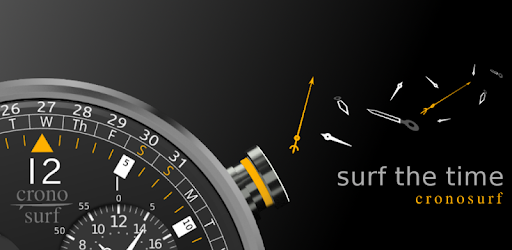
Cronosurf Wave is a chronograph watch app for Android devices and a watchface for Wear OS watches. No other OS are supported for now. Note: Due to latest Google policies allowing only WFF watch faces on the Play Store (from 2026 on), we had to remove the Wear OS version from this release. Previously installed watch faces will continue to function.
This app is based on the original design started 2014 as a web-based technology demonstrator (cronosurf.com). Its main focus lays on design, functionality and usability. It has become the most popular chronograph watch face for Androidd/Wear OS. If you are a chronograph watch lover, you'll find yourself using Cronosurf as your day-to-day app for alarm, countdown timer and stopwatch.
Since Cronosurf has many features, the app includes a comprehensive user manual. The Button Assistant (also available on the web version) labels each button according to the momentary state of the watch and helps you to quickly get familiarized with the basics. To activate it, simply tap on the area above the watch.
Discover all the special features and great usability of Cronosurf Wave. You will love it!
Standalone Android smartwatches are also supported. Note that Cronosurf runs as a regular app on these devices (not as a native watchface).
Key features
- 12-Hour Stopwatch/Chronometer with 1/20 seconds resolution
- 12-Hour Countdown-Timer (CD) with optional automatic repetition
- Daily/Once Alarm (AL) with optional gradual volume
- Optional vibration for AL/CD signals
- Customizable presets for both AL and CD
- UTC-based world time with 15-minute steps
- Current date, day of the week and the unique Cronosurf's monthly calendar
- Innovative 100-year-Calendar
- Week number
- Indication of moon phases
- Compass (when supported by device)
- Screen-On timer
- Analog and digital battery level indicators
- Second hand: pulse or sweep motion
- Set mode supports set-by-drag
- Torch function
- Day/Night modes (white/colored components)
- Tachymeter in stopwatch mode (experimental)
- Live Wallpaper (basic interactivity, customizable background, adjustable size/position; enable it like any other Live Wallpaper.)
- Lots of extra functionality you've probably never seen on other chronographs
- Ad-based, (only small banner, no fullscreen ads)
For reference and for user who still have the Wear OS version:
- Wear OS: Optional automatic Day/Night mode switching at user defined fixed times or via light sensor (when available)
- Wear OS + Android standalone: Auto-Return to TME mode after 1.5 minutes; long press [B] disables for current mode till next mode change
- Wear OS: Optional minimalist ambient mode
- Wear OS: Support for Moto 360 and other 'flat tire' displays
If you like Cronosurf Wave, try the Pro version. It has no ads and many more features!
Permissions:
- Run at startup: For reactivating a pending AL or CD.
- Prevent device from sleeping: While an alarm is being played, so the user can see the watch and stop the alarm.
v4.6.0
- Graphical update to better support Edge-to-edge on new Android versions
- Other minor improvements and bug fixes
- Wear OS version removed to comply with Google's deadline (14 January) - (This is only the phone version; if you had previously installed the watch face on your watch, it will continue to work)
Allows an application to receive the ACTION_BOOT_COMPLETED that is broadcast after the system finishes booting.
Allows using PowerManager WakeLocks to keep processor from sleeping or screen from dimming.
Allows access to the vibrator.
Allows an app to create windows using the type TYPE_APPLICATION_OVERLAY, shown on top of all other apps.
Allows applications to open network sockets.
Allows applications to access information about networks.


