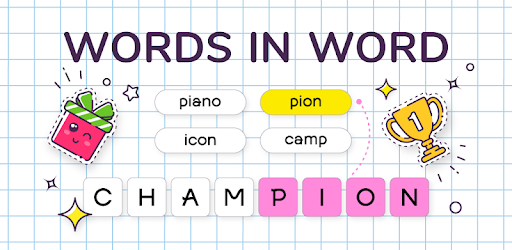
Words in Word on Windows Pc
Developed By: Uga Dooga
License: Free
Rating: 4,4/5 - 64.183 votes
Last Updated: August 04, 2026
Game Details
| Version |
14.6.14 |
| Size |
157.2 MB |
| Release Date |
December 11, 25 |
| Category |
Word Games |
|
Game Permissions:
Allows applications to open network sockets. [see more (5)]
|
|
What's New:
- fixed bugs [see more]
|
|
Description from Developer:
Words in Word is a free word game for adults that has captivated millions of players worldwide! The principle of this word puzzle is familiar to everyone – compose words from the l... [read more]
|
About this game
On this page you can download Words in Word and play on Windows PC. Words in Word is free Word game, developed by Uga Dooga. Latest version of Words in Word is 14.6.14, was released on 2025-12-11 (updated on 2026-08-04). Estimated number of the downloads is more than 5,000,000. Overall rating of Words in Word is 4,4. Generally most of the top apps on Android Store have rating of 4+. This game had been rated by 64,183 users, 43,901 users had rated it 5*, 2,192 users had rated it 1*.
How to play Words in Word on Windows?
Instruction on how to play Words in Word on Windows 10 Windows 11 PC & Laptop
In this post, I am going to show you how to install Words in Word on Windows PC by using Android App Player such as BlueStacks, LDPlayer, Nox, KOPlayer, ...
Before you start, you will need to download the APK/XAPK installer file, you can find download button on top of this page. Save it to easy-to-find location.
[Note] You can also download older versions of this game on bottom of this page.
Below you will find a detailed step-by-step guide, but I want to give you a fast overview of how it works. All you need is an emulator that will emulate an Android device on your Windows PC and then you can install applications and use it - you see you're playing it on Android, but this runs not on a smartphone or tablet, it runs on a PC.
If this doesn't work on your PC, or you cannot install, comment here and we will help you!
Step By Step Guide To Play Words in Word using BlueStacks
- Download and Install BlueStacks at: https://www.bluestacks.com. The installation procedure is quite simple. After successful installation, open the Bluestacks emulator. It may take some time to load the Bluestacks app initially. Once it is opened, you should be able to see the Home screen of Bluestacks.
- Open the APK/XAPK file: Double-click the APK/XAPK file to launch BlueStacks and install the application. If your APK/XAPK file doesn't automatically open BlueStacks, right-click on it and select Open with... Browse to the BlueStacks. You can also drag-and-drop the APK/XAPK file onto the BlueStacks home screen
- Once installed, click "Words in Word" icon on the home screen to start playing, it'll work like a charm :D
[Note 1] For better performance and compatibility, choose BlueStacks 5 Nougat 64-bit read more
[Note 2] about Bluetooth: At the moment, support for Bluetooth is not available on BlueStacks. Hence, apps that require control of Bluetooth may not work on BlueStacks.
How to play Words in Word on Windows PC using NoxPlayer
- Download & Install NoxPlayer at: https://www.bignox.com. The installation is easy to carry out.
- Drag the APK/XAPK file to the NoxPlayer interface and drop it to install
- The installation process will take place quickly. After successful installation, you can find "Words in Word" on the home screen of NoxPlayer, just click to open it.
Discussion
(*) is required
Words in Word is a free word game for adults that has captivated millions of players worldwide! The principle of this word puzzle is familiar to everyone – compose words from the letters of a given word. If you love solving crosswords, anagrams, scramble and erudition puzzles, you will definitely enjoy our word search game! 💚
In this ad-free puzzle, you can even have an intellectual battle with your friends! Rearrange the letters and find all the words within a word to claim victory. Expand your vocabulary in a fun, gaming format. The multiplayer mode makes the process even more exciting! And of course, this word game will be interesting for children, adults, and seniors alike! 🤩
Every player will find their favorite mode. Seeking mindfulness? Choose the meditative single-player offline mode and complete 1000 levels alone without rushing, calmly composing word after word for free. Or play with a partner, taking turns solving puzzles. If a spirit of rivalry awakens in you, compete online with other players, search for words, and earn special rewards!
GAME RULES 📖
You are given one word. Your task is to find all the words hidden within it. It's like solving scramble and anagrams! A spot-on choice for those who love to connect letters and take on word collect challenges.
For example, if you get the word «CHAMPIONSHIP» on a level, then enter «champion», «ship», «piano», «coin», «hip», etc. If you get stuck for a long time, try combining letters in words you've already found or use hints. Only common nouns are allowed.
SINGLE-PLAYER MODE 👩🏽
This zen puzzle for adults contains 1000 levels. In each level, you are offered 3 tasks:
- compose a specified number of words to pass the level and move to the next one;
- find all the words that can be assembled from the given one (an option for advanced players);
- enter a certain number of words starting with a specific letter.
For each completed task, you will receive coins and bonuses, and you will also earn achievements!
ONLINE MULTIPLAYER 👨🏼🦳 🧑🦰
• Invite a friend and play with them in 1-on-1 Duels.
• A match consists of one round and lasts 2 minutes.
• Receive trophies for victories and reach high ranks!
• Higher rank – larger reward at the end of the month.
Find out what answers your opponent entered, and also view a list of all the words that could have been found.
TOURNAMENTS 🏆
• Compete with other players in exciting Tournaments!
• Find out who is the best at making words from a word.
• Take prize-winning places and receive valuable rewards.
• Every week, new rules and new brain games await you!
GAME ADVANTAGES
🌟 1000 unique word search levels
🚀 Daily tasks with bright bonuses
🎮 Competitive online multiplayer
🥇 Struggle for the top of erudition in weekly Tournaments
🧠 Development of vocabulary, memory, and concentration
🎨 Modern and attractive design
🌐 Online and offline game mode without internet
📚 Ability to view word definitions
🤓 Perfect for adults, seniors and for bright kids
This free word search game is a great stress relief and brain trainer. Whether you are a fan of word connect or want to unscramble letters to spot words, our puzzle offers a calm yet challenging experience. Improve your logic and IQ while having fun with the whole family and during social gatherings. Moreover, you can play with no ads and no wi-fi!
So, how good are you at rearranging letters and searching for words? Can you find all those hidden in the given one? Solve linguistic puzzles and improve your thinking. The game helps you relax and at the same time keeps your mind sharp. Invite friends to make words and solve anagrams together.
Are you ready to take the intellectual challenge in the game Words in Word? 🔥
- fixed bugs
Allows applications to open network sockets.
Allows applications to access information about networks.
Allows applications to enter Wi-Fi Multicast mode.
Allows using PowerManager WakeLocks to keep processor from sleeping or screen from dimming.
Allows applications to access information about Wi-Fi networks.