ATOK for Android on Windows Pc
Developed By: JustSystems Corporation
License: Free
Rating: 1,0/5 - 1.383 votes
Last Updated: August 05, 2026
App Details
| Version |
1.9.22 |
| Size |
21.9 MB |
| Release Date |
December 11, 25 |
| Category |
Productivity Apps |
|
App Permissions:
Allows an application to receive the ACTION_BOOT_COMPLETED that is broadcast after the system finishes booting. [see more (6)]
|
|
What's New:
[2025/12/4 バージョン 1.9.22] 軽微な修正を行いました。[2025/11/25 バージョン 1.9.21] ATOK Passportのプラン終了およびアプリ内での定期購入終了について、アプリよりご案内を表示するようにしました。 [see more]
|
|
Description from Developer:
★About this app
- Available to customers who have subscribed to "ATOK Passport [Premium]" or "ATOK Passport [Basic]."
Please activate the app using the "J... [read more]
|
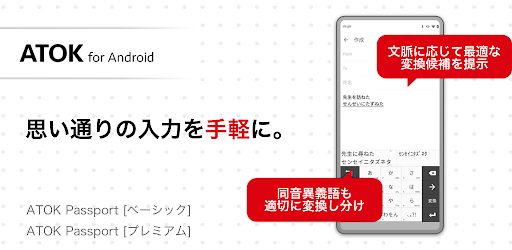
About this app
On this page you can download ATOK for Android and install on Windows PC. ATOK for Android is free Productivity app, developed by JustSystems Corporation. Latest version of ATOK for Android is 1.9.22, was released on 2025-12-11 (updated on 2026-08-05). Estimated number of the downloads is more than 100,000. Overall rating of ATOK for Android is 1,0. Generally most of the top apps on Android Store have rating of 4+. This app had been rated by 1,383 users, 1 users had rated it 5*, 1,383 users had rated it 1*.
How to install ATOK for Android on Windows?
Instruction on how to install ATOK for Android on Windows 10 Windows 11 PC & Laptop
In this post, I am going to show you how to install ATOK for Android on Windows PC by using Android App Player such as BlueStacks, LDPlayer, Nox, KOPlayer, ...
Before you start, you will need to download the APK/XAPK installer file, you can find download button on top of this page. Save it to easy-to-find location.
[Note] You can also download older versions of this app on bottom of this page.
Below you will find a detailed step-by-step guide, but I want to give you a fast overview of how it works. All you need is an emulator that will emulate an Android device on your Windows PC and then you can install applications and use it - you see you're playing it on Android, but this runs not on a smartphone or tablet, it runs on a PC.
If this doesn't work on your PC, or you cannot install, comment here and we will help you!
Step By Step Guide To Install ATOK for Android using BlueStacks
- Download and Install BlueStacks at: https://www.bluestacks.com. The installation procedure is quite simple. After successful installation, open the Bluestacks emulator. It may take some time to load the Bluestacks app initially. Once it is opened, you should be able to see the Home screen of Bluestacks.
- Open the APK/XAPK file: Double-click the APK/XAPK file to launch BlueStacks and install the application. If your APK/XAPK file doesn't automatically open BlueStacks, right-click on it and select Open with... Browse to the BlueStacks. You can also drag-and-drop the APK/XAPK file onto the BlueStacks home screen
- Once installed, click "ATOK for Android" icon on the home screen to start using, it'll work like a charm :D
[Note 1] For better performance and compatibility, choose BlueStacks 5 Nougat 64-bit read more
[Note 2] about Bluetooth: At the moment, support for Bluetooth is not available on BlueStacks. Hence, apps that require control of Bluetooth may not work on BlueStacks.
How to install ATOK for Android on Windows PC using NoxPlayer
- Download & Install NoxPlayer at: https://www.bignox.com. The installation is easy to carry out.
- Drag the APK/XAPK file to the NoxPlayer interface and drop it to install
- The installation process will take place quickly. After successful installation, you can find "ATOK for Android" on the home screen of NoxPlayer, just click to open it.
Discussion
(*) is required
★About this app
- Available to customers who have subscribed to "ATOK Passport [Premium]" or "ATOK Passport [Basic]."
Please activate the app using the "Just Account" used at the time of subscription.
- New subscriptions for "ATOK Passport [Basic]" are no longer being accepted.
- You cannot subscribe to "ATOK Passport [Premium]" from within this app.
■What is ATOK Passport?
This is a monthly subscription service that allows you to use the Japanese input system "ATOK" on up to 10 smartphones and PCs.
"ATOK" is a Japanese input system renowned for its high conversion accuracy and packed with convenient input features. It analyzes text as you type and converts it into natural-looking Japanese, allowing you to input text quickly and easily by simply switching your keyboard to "ATOK."
"ATOK Passport" is available in two plans: [Premium] and [Basic]. You can subscribe to [Basic] with this app.
https://play.google.com/store/apps/details?id=com.justsystems.atokmobile2.pv.service
■ATOK Passport [Basic] Features
●Compatible with Android, Windows, and Mac
You can share registered words on your Android smartphone or PC. Enjoy the optimal input environment anytime, anywhere.
●Always use the latest "ATOK" on up to 10 devices
* One contract allows you to use "ATOK" on up to 10 devices. Use is limited to the contract holder.
●"ATOK for Android" runs smoothly on smartphones
* For higher conversion accuracy and a richer range of features, please subscribe to the premium version, "ATOK Passport [Premium]," which includes access to "ATOK for Android [Professional]." "ATOK Passport [Premium]" also includes access to all ATOK cloud services, including proofreading and various dictionaries such as the Kojien dictionary.
https://play.google.com/store/apps/details?id=com.justsystems.atokmobile2.pv.service
■Features of "ATOK for Android"
●A keyboard app for speedy and easy input
Choose your input method from the original "Flower Touch Input (Gesture Input)," "Flick Input," and "Mobile Input." Switching between the numeric keypad and QWERTY keyboard is a snap. Enter passwords, email addresses, and other mixed-character strings, just like on a computer. With "ATOK," you can continue using the same keyboard even if you switch to a different device.
●One-click conversion of long and short sentences
Not only does it properly convert names and place names, but it also instantly converts even long readings. Even if the conversion doesn't go as expected, it learns and continues to convert appropriately from next time onwards.
●Freely customize keyboard settings
Choose from 13 keyboard theme colors, and you can also set saved images such as photos. You can also adjust the keyboard size by sliding up, down, left, or right. By moving the keyboard to the left or right to make it smaller, you can reach it with one hand even on large-screen devices.
●Easy emoji and emoticon input
Emoji, emoticons, and symbols are organized by type. They appear large when selected, making input easier.
●Other features
Includes the [ATOK Direct for Mushroom] feature, allowing integration with the Mushroom app.
▼Notes
・When you add ATOK to your keyboard from Android settings, a message will appear regarding the collection of input information (personal information such as passwords and credit card numbers). However, ATOK does not collect any of this information. Please note that this is a message displayed by Android.
・Operation is not guaranteed on models other than those confirmed to work.
・Operation is not guaranteed on rooted devices or custom ROMs.
・Operation is not guaranteed on devices with built-in keyboards or input from external keyboards.
・Operation is not guaranteed in environments using enterprise mobile device management.
・The app cannot be installed on devices used outside of Japan.
・Emoji may not be displayed correctly or may not be available depending on the specifications of each carrier or device manufacturer.
▼Operating Environment
・Android 8.0/8.1/9/10/11/12/13/14/15/16
▼In Cases of Cannot Be Performed Properly or Downloaded
・If "ATOK" is not working properly on the Google app, try updating the Google app.
http://support.justsystems.com/jp/products/atok_android/faq02.html#faq-68
・If you are unable to download the app from Google Play, try the following steps.
https://support.google.com/googleplay/troubleshooter/6241347
▼Purpose of Use of Each Item
"ATOK" uses the following items to make input more convenient.
[Contacts and Call History] Used to input contact details into the destination app when using "Phonebook/ATOK Direct." "ATOK" does not collect or transfer contacts or call history for any other purposes.
[External Storage] Used for importing and exporting ATOK settings, boilerplate phrases, and My Collections, as well as bulk registration and list output for the dictionary utility.
[Network] Used to run the "ATOK Cloud Service." Also, used to send registered word information only if you separately agree.
[Vibration] Used for keyboard touch feedback.
[Installed Apps List] Used to link with "ATOK Direct" and the extended dictionary. "ATOK" does not collect or transfer a list of installed apps.
▼Trademarks
- "ATOK" and "Predictive Conversion" are trademarks of JustSystems Corporation.
- All other company names, product names, etc. mentioned are registered trademarks or trademarks of their respective companies or JustSystems Corporation.
[2025/12/4 バージョン 1.9.22]
軽微な修正を行いました。
[2025/11/25 バージョン 1.9.21]
ATOK Passportのプラン終了およびアプリ内での定期購入終了について、アプリよりご案内を表示するようにしました。
Allows an application to receive the ACTION_BOOT_COMPLETED that is broadcast after the system finishes booting.
Allows using PowerManager WakeLocks to keep processor from sleeping or screen from dimming.
Allows access to the vibrator.
Allows applications to open network sockets.
Allows applications to access information about networks.
Allows an application to read the user's contacts data.


