Kaspersky Password Manager on Windows Pc
Developed By: Kaspersky Lab
License: Free
Rating: 4,4/5 - 32.007 votes
Last Updated: August 05, 2026
App Details
| Version |
9.2.111.25 |
| Size |
79.1 MB |
| Release Date |
December 12, 25 |
| Category |
Tools Apps |
|
App Permissions:
Allows applications to open network sockets. [see more (10)]
|
|
What's New:
This version includes several important fixes to issues reported by our users. Thank you for making us better! [see more]
|
|
Description from Developer:
Kaspersky Password Manager offers secure password storage for your passwords, addresses, bank card details, private notes and images of confidential documents, like your passport... [read more]
|
About this app
On this page you can download Kaspersky Password Manager and install on Windows PC. Kaspersky Password Manager is free Tools app, developed by Kaspersky Lab. Latest version of Kaspersky Password Manager is 9.2.111.25, was released on 2025-12-12 (updated on 2026-08-05). Estimated number of the downloads is more than 1,000,000. Overall rating of Kaspersky Password Manager is 4,4. Generally most of the top apps on Android Store have rating of 4+. This app had been rated by 32,007 users, 24,242 users had rated it 5*, 2,720 users had rated it 1*.
How to install Kaspersky Password Manager on Windows?
Instruction on how to install Kaspersky Password Manager on Windows 10 Windows 11 PC & Laptop
In this post, I am going to show you how to install Kaspersky Password Manager on Windows PC by using Android App Player such as BlueStacks, LDPlayer, Nox, KOPlayer, ...
Before you start, you will need to download the APK/XAPK installer file, you can find download button on top of this page. Save it to easy-to-find location.
[Note] You can also download older versions of this app on bottom of this page.
Below you will find a detailed step-by-step guide, but I want to give you a fast overview of how it works. All you need is an emulator that will emulate an Android device on your Windows PC and then you can install applications and use it - you see you're playing it on Android, but this runs not on a smartphone or tablet, it runs on a PC.
If this doesn't work on your PC, or you cannot install, comment here and we will help you!
Step By Step Guide To Install Kaspersky Password Manager using BlueStacks
- Download and Install BlueStacks at: https://www.bluestacks.com. The installation procedure is quite simple. After successful installation, open the Bluestacks emulator. It may take some time to load the Bluestacks app initially. Once it is opened, you should be able to see the Home screen of Bluestacks.
- Open the APK/XAPK file: Double-click the APK/XAPK file to launch BlueStacks and install the application. If your APK/XAPK file doesn't automatically open BlueStacks, right-click on it and select Open with... Browse to the BlueStacks. You can also drag-and-drop the APK/XAPK file onto the BlueStacks home screen
- Once installed, click "Kaspersky Password Manager" icon on the home screen to start using, it'll work like a charm :D
[Note 1] For better performance and compatibility, choose BlueStacks 5 Nougat 64-bit read more
[Note 2] about Bluetooth: At the moment, support for Bluetooth is not available on BlueStacks. Hence, apps that require control of Bluetooth may not work on BlueStacks.
How to install Kaspersky Password Manager on Windows PC using NoxPlayer
- Download & Install NoxPlayer at: https://www.bignox.com. The installation is easy to carry out.
- Drag the APK/XAPK file to the NoxPlayer interface and drop it to install
- The installation process will take place quickly. After successful installation, you can find "Kaspersky Password Manager" on the home screen of NoxPlayer, just click to open it.
Discussion
(*) is required
Kaspersky Password Manager offers secure password storage for your passwords, addresses, bank card details, private notes and images of confidential documents, like your passport and driver’s license, and syncs them across all your devices – giving you faster access to your online accounts, apps and important personal information.
Key features:
-KEEP YOUR PERSONAL DATA UNDER LOCK & KEY
Secure your passwords, addresses, bank card details, private notes, images of important documents and other personal information in an encrypted data vault only you can unlock.
-ACCESS YOUR STUFF WITH ONE PASSWORD
Unlock your data vault with one password. Plus access everything in double-quick time using the latest fingerprint password technology.
- SYNC EVERYTHING ACROSS ALL YOUR DEVICES
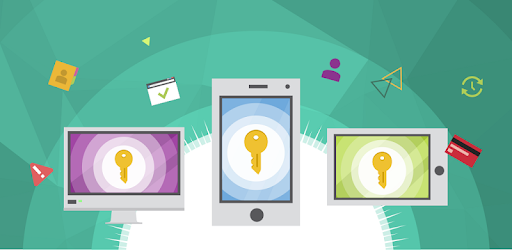
Keep your passwords safe and private stuff synced and easily accessible across your different mobile devices, PCs, Macs and browsers in our password saver.
-SAVE TIME WITH PASSWORD AUTOFILL if you forgot password
Log in to your accounts quickly and easily through Chrome and other browsers to ensure data security and online safety.
-IMPROVE YOUR DATA SECURITY WITH OUR PASSWORD GENERATOR
Use our password generator to get strong passwords and keep your password safe.
-SECURE YOUR BANK CARD DETAILS
Scan and secure your bank card details with one tap of a button.
-STORE ALL YOUR IMPORTANT DOCUMENTS AND PERSONAL INFORMATION
Also scan and secure your passport, driver’s license, medical documents and other sensitive documents and private data, so they’re out of reach to everyone but you.
-SEARCH AND ORGANIZE YOUR DOCUMENTS THE WAY YOU WANT
Tag documents as “Favorites”. Access recently viewed stuff with a single tap. And group items into folders so it’s easy to find things later.
-GET TO YOUR STUFF VIA YOUR MY KASPERSKY ACCOUNT
Access and manage passwords and documents from anywhere you can get online and ensure data security.
Why you need our password vault
Remembering all your passwords is hard. In fact, requesting a password reset after a forgot password moment is a chore we all recognize. With free Password Manager, your personal password saver you can save precious and ensure online safety time over and over again. With all your passwords in a password safe and accessible with one password, it’s simple to sign in to your accounts, even those you rarely visit – helping you banish forgot password brain freezes for good.
But the benefits of free Password Manager don’t end there. Did you know that besides password storage and protection, the app provides you with a password generator? With our password generator, you can generate strong new passwords, add them to your password safe and use them to replace existing passwords that put your password security and online safety at risk. Plus we also guard your most confidential documents in a secure data vault – so only you can reach them.
So try Kaspersky Password Manager today. It’s not just a password vault. It’s not just a free password manager. It answers all your password security fears plus more.
OUR SECURITY
We follow Zero-Knowledge Security, which means neither Kaspersky – as the application developer – nor anybody else, knows a single thing about your data. Your data belongs only to you and is accessible only by you. We respect users’ privacy completely. Also, Kaspersky Password Manager doesn't store your one password on your devices or in cloud storage.
FREE version
Does everything the Premium version does, but it only allows you to store a maximum total of 5 entries.
For correct operation, please install the latest version of Kaspersky Password Manager free on all your devices. Having the old version and new version on different devices may cause operating issues.
The app uses Accessibility services. Accessibility is used to sign in to apps and websites with the credentials you store in Kaspersky Password Manager.
This version includes several important fixes to issues reported by our users. Thank you for making us better!
Allows applications to open network sockets.
Allows applications to access information about networks.
Allows access to the vibrator.
Allows using PowerManager WakeLocks to keep processor from sleeping or screen from dimming.
Required to be able to access the camera device.
Allows applications to access information about Wi-Fi networks.
Allows an app to use fingerprint hardware.
Allows an app to create windows using the type TYPE_APPLICATION_OVERLAY, shown on top of all other apps.
Allows an application to request installing packages.
Allows an application to receive the ACTION_BOOT_COMPLETED that is broadcast after the system finishes booting.


