Slow motion video fast&slow mo on Windows Pc
Developed By: Bizo Mobile
License: Free
Rating: 4,5/5 - 387.823 votes
Last Updated: August 04, 2026
App Details
| Version |
3.0.0 |
| Size |
42.3 MB |
| Release Date |
June 10, 25 |
| Category |
Video Players & Editors Apps |
|
App Permissions:
Allows applications to open network sockets. [see more (5)]
|
|
What's New:
1.4.94:🐛 bugs fixed,1.4.36:🐌 UI changes,🈂️ translation changesnew sdk changes [see more]
|
|
Description from Developer:
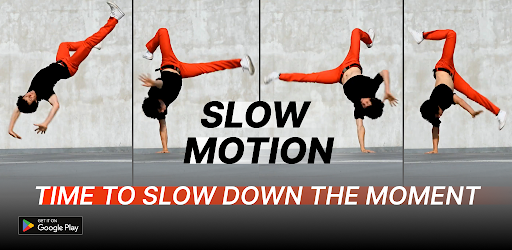
Slow Motion Video Editor: Slo Mo Camera Maker!Do you want to turn ordinary clips into breathtaking slow-mo scenes? Then you have to try ‘Slow Motion Video Editor: Slo Mo Camera Mak... [read more]
|
About this app
On this page you can download Slow motion video fast&slow mo and install on Windows PC. Slow motion video fast&slow mo is free Video Players & Editors app, developed by Bizo Mobile. Latest version of Slow motion video fast&slow mo is 3.0.0, was released on 2025-06-10 (updated on 2026-08-04). Estimated number of the downloads is more than 10,000,000. Overall rating of Slow motion video fast&slow mo is 4,5. Generally most of the top apps on Android Store have rating of 4+. This app had been rated by 387,823 users, 288,135 users had rated it 5*, 18,500 users had rated it 1*.
How to install Slow motion video fast&slow mo on Windows?
Instruction on how to install Slow motion video fast&slow mo on Windows 10 Windows 11 PC & Laptop
In this post, I am going to show you how to install Slow motion video fast&slow mo on Windows PC by using Android App Player such as BlueStacks, LDPlayer, Nox, KOPlayer, ...
Before you start, you will need to download the APK/XAPK installer file, you can find download button on top of this page. Save it to easy-to-find location.
[Note] You can also download older versions of this app on bottom of this page.
Below you will find a detailed step-by-step guide, but I want to give you a fast overview of how it works. All you need is an emulator that will emulate an Android device on your Windows PC and then you can install applications and use it - you see you're playing it on Android, but this runs not on a smartphone or tablet, it runs on a PC.
If this doesn't work on your PC, or you cannot install, comment here and we will help you!
Step By Step Guide To Install Slow motion video fast&slow mo using BlueStacks
- Download and Install BlueStacks at: https://www.bluestacks.com. The installation procedure is quite simple. After successful installation, open the Bluestacks emulator. It may take some time to load the Bluestacks app initially. Once it is opened, you should be able to see the Home screen of Bluestacks.
- Open the APK/XAPK file: Double-click the APK/XAPK file to launch BlueStacks and install the application. If your APK/XAPK file doesn't automatically open BlueStacks, right-click on it and select Open with... Browse to the BlueStacks. You can also drag-and-drop the APK/XAPK file onto the BlueStacks home screen
- Once installed, click "Slow motion video fast&slow mo" icon on the home screen to start using, it'll work like a charm :D
[Note 1] For better performance and compatibility, choose BlueStacks 5 Nougat 64-bit read more
[Note 2] about Bluetooth: At the moment, support for Bluetooth is not available on BlueStacks. Hence, apps that require control of Bluetooth may not work on BlueStacks.
How to install Slow motion video fast&slow mo on Windows PC using NoxPlayer
- Download & Install NoxPlayer at: https://www.bignox.com. The installation is easy to carry out.
- Drag the APK/XAPK file to the NoxPlayer interface and drop it to install
- The installation process will take place quickly. After successful installation, you can find "Slow motion video fast&slow mo" on the home screen of NoxPlayer, just click to open it.
Discussion
(*) is required
Slow Motion Video Editor: Slo Mo Camera Maker!Do you want to turn ordinary clips into breathtaking slow-mo scenes? Then you have to try ‘Slow Motion Video Editor: Slo Mo Camera Maker’ which allows for super smooth time manipulation right from the palm of your hand. Whether it’s a raging sports video or a hilarious pet video, this tool perfectly captures the essence of life's breathtaking moments that you can capture and edit with speed features.
📄 Speed Up Video: Slow Motion FX Highlights 📄
🎥 Simple Mode Features Pre-Set Capabilities: An easy to use interface;
🎥 Mid-level: Integrated timeline allows for fine-tuned changes on the speed of the video;
🎥 Video Smoother for silky transitions: SloPro Smooth Slow Motion Video Maker Engine;
🎥 Motion Styled Slow Fast: Slow Motion Video FX, professional-grade polish;
🎥 Speed alterations are done after trimming, cutting and editing clips;
🎥 Slow Motion Video Editor: Slo Mo Camera Maker: Agility for 5x speed acceleration in play back;
🎥 Blur Effects by Speed Reduction for Editors: Cinematic blur by velocity redaction;
🎥 Custom soundtracks and effects can be included to match the altered speed;
🎥 High frame rate output is available for a Speed Up Video: Slow Motion FX;
🎥 Immediate sharing through the gallery, exportable in HD.
Enhanced Video Editing with SloPro: Smooth Slow Motion Video Maker!Enjoy advanced video editing with SloPro: Smooth Slow Motion Video Editor: Slo Mo Camera Maker integrated advanced timeline tool. You can now set custom speed points on the time range, allowing for smooth transitioning between fast and smoother segments. Move speed curves down to decelerate motion, and Up to quicken the motion. Each point placed on the rhythm can be optimized to achieve the desired pattern needed for the clip.
Create Epic Moments with Slow Fast: Slow Motion Video FX🤳
Go beyond your imagination with our app Slow Fast: Slow Motion Video FX. From Accelerated action shots to DIY tutorials. We bring you unique flair that makes everything stand out, wherever you go. Whether it’s a cannonball that splashes or a food item drop, it will now have enhanced drama.
Fast or Slow, You Are in Control With Speed up video: Slow Motion FX📽️
As the name goes, its not just for editing. This SloPro: Smooth Slow Motion Video Maker feature allows time lapses in energetic fast forward movements. It can now go fluent. Experiment with different effects within the same clip, be it speed or slow, for a perfect cinematic storyline. Sequences can now be accelerated at a stunning rate of 5x or slowed down to a graceful 1/5x.
Add Drama with Make Video Slow Motion Blur: Video Speed Editor📹
Bring the artistic feel to your footage with Make Video Slow Motion Blur: Video Speed Editor. Becoming a motion picture isn’t easy, but together we can add incredible footage blur that follows motion. Merging blur and art allows the capturing the emotional impact and weight every second brings to Social media. SloPro: Smooth Slow Motion Video Maker allows you to craft more than just a period of time.
Start Editing with SloMo Video Editor: Slow Motion App!Whether you’re a beginner or a veteran video editor, SloMo Video Editor: Slow Motion App is the perfect Make Video Slow Motion Blur: Video Speed Editor app for you. Everything from slow-motion flips to quick-paced transitions can be done in literally a few clicks. SloMo Video Editor: Slow Motion App equips you with everything you need to make, edit, and share your masterpiece. You can enjoy the simplicity and excitement of SloMo Video Editor: Slow Motion App whether you want to slow down the best moments in life or speed them up for a creative touch.
1.4.94:
🐛 bugs fixed,
1.4.36:
🐌 UI changes,
🈂️ translation changes
new sdk changes
Allows applications to open network sockets.
Allows applications to access information about networks.
Allows using PowerManager WakeLocks to keep processor from sleeping or screen from dimming.
Allows an application to receive the ACTION_BOOT_COMPLETED that is broadcast after the system finishes booting.
Allows applications to access information about Wi-Fi networks.


