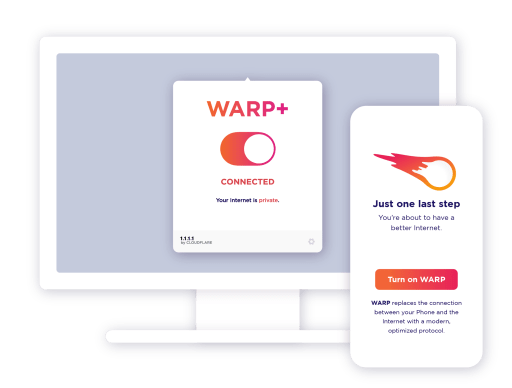
1.1.1.1 + WARP: Safer Internet on Windows Pc
Developed By: Cloudflare
License: Free
Last Updated: November 16, 2022
App Details
| Version |
2022.10.106.0 |
| Size |
100.9 MB |
| Release Date |
November 16, 2022 |
| Category |
Tools Apps |
App preview

About this app
You're one tap away from a safer Internet.
When the Internet was built, computers weren’t mobile. They sat in offices next to data centers. The Internet has changed but the assumptions made 30 years ago are making your experience slower and less secure.
1.1.1.1 with WARP replaces the connection between your device and the Internet with a modern, optimized, protocol.
You're one tap away from a safer Internet.
When the Internet was built, computers weren’t mobile. They sat in offices next to data centers. The Internet has changed but the assumptions made 30 years ago are making your experience slower and less secure.
1.1.1.1 with WARP replaces the connection between your device and the Internet with a modern, optimized, protocol.
Fast. Free. Private.
Your Internet service provider can see every site and app you use—even if they’re encrypted. Some providers even sell this data, or use it to target you with ads.
1.1.1.1 with WARP prevents anyone from snooping on you by encrypting more of the traffic leaving your device.
We believe privacy is a right. We won't sell your data, ever.
Use the Internet fast-lane
WARP+ subscriptions extend WARP by sending all of your Internet traffic over Cloudflare's optimized Internet routes which make thousands of websites 30% faster on average. WARP+ combines millions of Internet route measurements with Cloudflare’s private Internet backbone to deliver a better Internet directly to your device.
read more
How to install 1.1.1.1 + WARP: Safer Internet on Windows?
Instruction on how to install 1.1.1.1 + WARP: Safer Internet on Windows 7/8/10 Pc & Laptop
Steps to download
- Download Cloudflare WARP installer
- Navigate to the Downloads folder.
- Double-click on
Cloudflare_WARP_Release-xxx.msi.
- Follow the instructions in the installer to complete installation. Cloudflare WARP will automatically launch and appear in your menu bar with the Cloudflare logo.
Read more
Discussion
(*) is required
New 1.1.1.1 app changes:
- Logging into Cloudflare One Zero Trust accounts from 1.1.1.1 will be disabled May 2026. Users logged into Cloudflare One through 1.1.1.1 will lose access. To log into Cloudflare One, download the Cloudflare One Agent app from the Google Play store - https://play.google.com/store/apps/details?id=com.cloudflare.cloudflareoneagent
- Added a TCP fallback for the MASQUE tunnel protocol to improve connectivity on networks that block UDP or HTTP/3.
Allows applications to open network sockets.
Allows applications to access information about networks.
Allows an application to receive the ACTION_BOOT_COMPLETED that is broadcast after the system finishes booting.
Allows applications to access information about Wi-Fi networks.
Allows an app to access precise location.
Allows an application to read from external storage.
Allows using PowerManager WakeLocks to keep processor from sleeping or screen from dimming.