CLOMO SecuredContacts on Windows Pc
Developed By: i Cubed Systems, Inc.
License: Free
Rating: 5,0/5 - 1 votes
Last Updated: August 04, 2026
App Details
| Version |
4.2.2.12000 |
| Size |
57.9 MB |
| Release Date |
June 10, 25 |
| Category |
Business Apps |
|
App Permissions:
Allows applications to access information about networks. [see more (13)]
|
|
What's New:
・共有連絡先をグループ階層ごとに表示する機能を追加しました・アプリ内で共有連絡先を追加・編集・削除できる機能を追加しました ・個人の連絡先に登録されている情報を、共有連絡先にコピーできる機能を追加しました・初回サインイン時のみ、認証に失敗する場合がある不具合を修正しました・その他、軽微な不具合を修正しました [see more]
|
|
Description from Developer:
CLOMO SecuredContacts is a shared address book & phone app for smart devices. Register customers, business partners, internal contacts, etc. in the shared address book and then... [read more]
|
About this app
On this page you can download CLOMO SecuredContacts and install on Windows PC. CLOMO SecuredContacts is free Business app, developed by i Cubed Systems, Inc.. Latest version of CLOMO SecuredContacts is 4.2.2.12000, was released on 2025-06-10 (updated on 2026-08-04). Estimated number of the downloads is more than 1,000. Overall rating of CLOMO SecuredContacts is 5,0. Generally most of the top apps on Android Store have rating of 4+. This app had been rated by 1 users, 1 users had rated it 5*, 0 users had rated it 1*.
How to install CLOMO SecuredContacts on Windows?
Instruction on how to install CLOMO SecuredContacts on Windows 10 Windows 11 PC & Laptop
In this post, I am going to show you how to install CLOMO SecuredContacts on Windows PC by using Android App Player such as BlueStacks, LDPlayer, Nox, KOPlayer, ...
Before you start, you will need to download the APK/XAPK installer file, you can find download button on top of this page. Save it to easy-to-find location.
[Note] You can also download older versions of this app on bottom of this page.
Below you will find a detailed step-by-step guide, but I want to give you a fast overview of how it works. All you need is an emulator that will emulate an Android device on your Windows PC and then you can install applications and use it - you see you're playing it on Android, but this runs not on a smartphone or tablet, it runs on a PC.
If this doesn't work on your PC, or you cannot install, comment here and we will help you!
Step By Step Guide To Install CLOMO SecuredContacts using BlueStacks
- Download and Install BlueStacks at: https://www.bluestacks.com. The installation procedure is quite simple. After successful installation, open the Bluestacks emulator. It may take some time to load the Bluestacks app initially. Once it is opened, you should be able to see the Home screen of Bluestacks.
- Open the APK/XAPK file: Double-click the APK/XAPK file to launch BlueStacks and install the application. If your APK/XAPK file doesn't automatically open BlueStacks, right-click on it and select Open with... Browse to the BlueStacks. You can also drag-and-drop the APK/XAPK file onto the BlueStacks home screen
- Once installed, click "CLOMO SecuredContacts" icon on the home screen to start using, it'll work like a charm :D
[Note 1] For better performance and compatibility, choose BlueStacks 5 Nougat 64-bit read more
[Note 2] about Bluetooth: At the moment, support for Bluetooth is not available on BlueStacks. Hence, apps that require control of Bluetooth may not work on BlueStacks.
How to install CLOMO SecuredContacts on Windows PC using NoxPlayer
- Download & Install NoxPlayer at: https://www.bignox.com. The installation is easy to carry out.
- Drag the APK/XAPK file to the NoxPlayer interface and drop it to install
- The installation process will take place quickly. After successful installation, you can find "CLOMO SecuredContacts" on the home screen of NoxPlayer, just click to open it.
Discussion
(*) is required
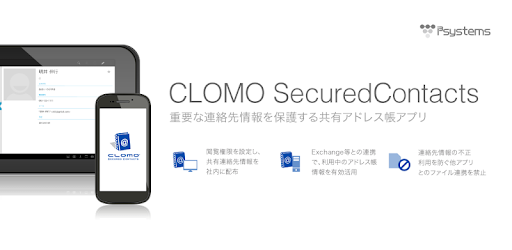
CLOMO SecuredContacts is a shared address book & phone app for smart devices. Register customers, business partners, internal contacts, etc. in the shared address book and then distribute it to the app. Viewing privileges can be set for each user group, and the necessary contacts will be displayed in the address book of the necessary users. It has a function to make and receive calls, and it is possible to make calls to a shared contact and display the registered name of the shared contact on the incoming call screen (requires setting as the default call handler in the OS settings). A smart device that can be carried anywhere at any time, allows you to safely and efficiently manage contacts that should be shared within your organization.
- CLOMO SecuredContacts: http://www.i3-systems.com/securedcontacts.html
■About this app
This app is a client app exclusively for CLOMO SecuredContacts users. You can use it by signing up for CLOMO SecuredContacts or applying for a trial. Users should follow the installation instructions provided by the administrator, install this app on the Android device that will be used with CLOMO SecuredContacts, and set up the app.
In addition to contacts, this app has call functions such as making and receiving calls, and displaying call history, and can be used as a default call handler.
■Function list
Telephone function
- Making phone calls (dialer)
- Record and display call history
- Incoming phone call (displays the registered name of the shared contact on the incoming call screen)
- Specify as default phone app
Contact book viewer
- Viewing shared contacts
- Viewing, adding, changing, and deleting Exchange Server contact book data
- View, add, change, and delete contact book app data in the device
- Fuzzy search for contacts
- Sort contacts (by name, company name)
- View, add, and delete favorites
- Import/export contact book data to local storage
- Sharing contact book data
Profile settings
- Cache retention limit
Server account settings
- Remote configuration of multiple server accounts
- SSL connection settings to contact book server
App management
- Viewing the command execution log for the application by the administrator
- Obtaining device information on which the app is installed
- Remote deletion of in-app data
- App launch restrictions
- Remote message delivery to apps
Shared contact book management
- Add/change/delete contact book groups
- Add/change/delete shared contacts
- Add/change/delete contacts
■Operation verified terminal
Please refer to our website for the latest information on devices whose operation has been confirmed.
- http://www.i3-systems.com/securedcontacts.html
■Note
- If you are using only Wi-Fi and have a firewall installed,
Please open ports "5228, 5229, 5230/tcp", "80/tcp" and "443/tcp".
■CLOMO SecuredContacts Details
- http://www.i3-systems.com/securedcontacts.html
・共有連絡先をグループ階層ごとに表示する機能を追加しました
・アプリ内で共有連絡先を追加・編集・削除できる機能を追加しました
・個人の連絡先に登録されている情報を、共有連絡先にコピーできる機能を追加しました
・初回サインイン時のみ、認証に失敗する場合がある不具合を修正しました
・その他、軽微な不具合を修正しました
Allows applications to access information about networks.
Allows applications to open network sockets.
Allows read only access to phone state, including the phone number of the device, current cellular network information, the status of any ongoing calls, and a list of any PhoneAccounts registered on the device.
Allows an application to read the user's call log.
Allows access to the vibrator.
Allows an app to create windows using the type TYPE_APPLICATION_OVERLAY, shown on top of all other apps.
Allows using PowerManager WakeLocks to keep processor from sleeping or screen from dimming.
Allows an application to read the user's contacts data.
Allows an application to write the user's contacts data.
Allows an application to initiate a phone call without going through the Dialer user interface for the user to confirm the call.
Allows a calling application which manages it own calls through the self-managed ConnectionService APIs.
Allows an application to read from external storage.
Allows an application to receive the ACTION_BOOT_COMPLETED that is broadcast after the system finishes booting.


