Talking Gummy Bear Kids Games on Windows Pc
Developed By: Viva Games Studios
License: Free
Rating: 3,7/5 - 59.803 votes
Last Updated: August 04, 2026
App Details
| Version |
6.1.3 |
| Size |
69.9 MB |
| Release Date |
December 11, 25 |
| Category |
Entertainment Apps |
|
App Permissions:
Allows applications to open network sockets. [see more (8)]
|
|
What's New:
- Video rewards have been removed. Unlimited retries are now available. [see more]
|
|
Description from Developer:
Embark on a heartwarming adventure with Talking Gummy Bear, the most captivating virtual pet game in the Play Store! Dive into the magical world of pet care and entertainment as yo... [read more]
|
About this app
On this page you can download Talking Gummy Bear Kids Games and install on Windows PC. Talking Gummy Bear Kids Games is free Entertainment app, developed by Viva Games Studios. Latest version of Talking Gummy Bear Kids Games is 6.1.3, was released on 2025-12-11 (updated on 2026-08-04). Estimated number of the downloads is more than 50,000,000. Overall rating of Talking Gummy Bear Kids Games is 3,7. Generally most of the top apps on Android Store have rating of 4+. This app had been rated by 59,803 users, 33,818 users had rated it 5*, 14,156 users had rated it 1*.
How to install Talking Gummy Bear Kids Games on Windows?
Instruction on how to install Talking Gummy Bear Kids Games on Windows 10 Windows 11 PC & Laptop
In this post, I am going to show you how to install Talking Gummy Bear Kids Games on Windows PC by using Android App Player such as BlueStacks, LDPlayer, Nox, KOPlayer, ...
Before you start, you will need to download the APK/XAPK installer file, you can find download button on top of this page. Save it to easy-to-find location.
[Note] You can also download older versions of this app on bottom of this page.
Below you will find a detailed step-by-step guide, but I want to give you a fast overview of how it works. All you need is an emulator that will emulate an Android device on your Windows PC and then you can install applications and use it - you see you're playing it on Android, but this runs not on a smartphone or tablet, it runs on a PC.
If this doesn't work on your PC, or you cannot install, comment here and we will help you!
Step By Step Guide To Install Talking Gummy Bear Kids Games using BlueStacks
- Download and Install BlueStacks at: https://www.bluestacks.com. The installation procedure is quite simple. After successful installation, open the Bluestacks emulator. It may take some time to load the Bluestacks app initially. Once it is opened, you should be able to see the Home screen of Bluestacks.
- Open the APK/XAPK file: Double-click the APK/XAPK file to launch BlueStacks and install the application. If your APK/XAPK file doesn't automatically open BlueStacks, right-click on it and select Open with... Browse to the BlueStacks. You can also drag-and-drop the APK/XAPK file onto the BlueStacks home screen
- Once installed, click "Talking Gummy Bear Kids Games" icon on the home screen to start using, it'll work like a charm :D
[Note 1] For better performance and compatibility, choose BlueStacks 5 Nougat 64-bit read more
[Note 2] about Bluetooth: At the moment, support for Bluetooth is not available on BlueStacks. Hence, apps that require control of Bluetooth may not work on BlueStacks.
How to install Talking Gummy Bear Kids Games on Windows PC using NoxPlayer
- Download & Install NoxPlayer at: https://www.bignox.com. The installation is easy to carry out.
- Drag the APK/XAPK file to the NoxPlayer interface and drop it to install
- The installation process will take place quickly. After successful installation, you can find "Talking Gummy Bear Kids Games" on the home screen of NoxPlayer, just click to open it.
Discussion
(*) is required
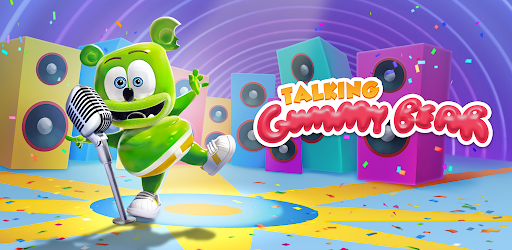
Embark on a heartwarming adventure with Talking Gummy Bear, the most captivating virtual pet game in the Play Store! Dive into the magical world of pet care and entertainment as you welcome your very own lovable gummy bear virtual friend into your digital family. From feeding delicious treats to dressing up in enticing outfits, engaging in stimulating mini-games to hearing it repeat your words in its charming voice, Talking Gummy Bear offers a rich and interactive experience that will keep you entertained for hours on end. Whether you're a seasoned virtual pet enthusiast or a newcomer looking for a delightful and game, Talking Gummy Bear is the perfect choice for all ages.
Explore a Wide Range of Activities: Talking Gummy Bear provides a plethora of activities to keep you immersed in fun and creativity. Feed your gummy bear pet a variety of treats and watch it react with joy and satisfaction. Play thoughtfully crafted mini-games that challenge your skills and entertain you with their delightful designs. Customize your friend gummy bear's appearance with an array of fashionable outfits and accessories, turning it into a unique and stylish companion that reflects your personal tastes. Interact with your gummy bear by talking to it and listening to its amusing voice, creating moments of laughter and warmth that will leave you smiling.
Immerse Yourself in a Vibrant Virtual World: As you progress through the game, experience the joy of watching your gummy bear grow and develop under your care. Witness its playful antics and cheerful demeanor as it thrives in a nurturing and loving environment. Explore different environments and unlock exciting surprises as you bond your virtual pet through shared moments of joy and companionship. With colorful graphics, charming animations, and engaging sound effects, Talking Gummy Bear offers a visually stunning and immersive world that will captivate your senses and spark your imagination.
Tailored for Every Player: Whether you seek a casual experience to unwind and relax or a more challenging adventure to test your skills, Talking Gummy Bear caters to a wide range of players and preferences. Enjoy a that adapts to your pace and interests, providing a seamless and enjoyable gameplay experience that suits your style. From spontaneous moments of playfulness to strategic decision-making, Talking Gummy Bear offers a dynamic and versatile gameplay that evolves with your and actions, ensuring a personalized and engaging journey every time you play.
Join the Talking Gummy Bear Community: Connect with fellow players and gummy bear enthusiasts through a vibrant and welcoming community that celebrates the joy of virtual pet care and companionship. Share your accomplishments, exchange tips and tricks, and engage in lively discussions about your favorite moments in the game. Stay updated on the latest news, events and updates from the developers, ensuring that you never miss out on new features and content that enhance your gameplay experience. Experience the sense of belonging and camaraderie that comes from being part of a community that shares your passion for virtual pets and interactive games.
Download Talking Gummy Today: Don't miss out on the opportunity to create unforgettable memories with your very own talking gummy bear. Download Talking Gummy Bear now and embark on a delightful journey filled with fun, care, and endless possibilities. Whether you're looking for a source of entertainment, a way to unwind after a long day, or delightful escape into a world of cuteness and charm, Talking Gummy Bear is the perfect for all your virtual pet adventures. Join the millions of players who have already discovered the magic of Talking Gummy Bear and start your own enchanting journey today!
Viva studios Privacy policy: https://vivastudios.com/privacy-policy/
- Video rewards have been removed. Unlimited retries are now available.
Allows applications to open network sockets.
Allows applications to access information about networks.
Required to be able to access the camera device.
Allows an application to record audio.
Allows an application to modify global audio settings.
Allows applications to connect to paired bluetooth devices.
Allows an application to read from external storage.
Allows using PowerManager WakeLocks to keep processor from sleeping or screen from dimming.


