INSW HS CODE Repository Unofficial on Windows Pc
Developed By: Cah Telu Developer
License: Free
Rating: 4,6/5 - 5 votes
Last Updated: August 03, 2026
App Details
| Version |
8 |
| Size |
4.3 MB |
| Release Date |
December 10, 23 |
| Category |
Tools Apps |
|
App Permissions:
Allows applications to open network sockets. [see more (3)]
|
|
What's New:
- Fix Bug Link for Communication to server- Upgrade Performance for Quick Search- Added Disclaimer [see more]
|
|
Description from Developer:
Search for Hs Code or Description in Indonesian or English form. This application as a single reference for trader to find the information related to import & export procedure... [read more]
|
About this app
On this page you can download INSW HS CODE Repository Unofficial and install on Windows PC. INSW HS CODE Repository Unofficial is free Tools app, developed by Cah Telu Developer. Latest version of INSW HS CODE Repository Unofficial is 8, was released on 2023-12-10 (updated on 2026-08-03). Estimated number of the downloads is more than 500. Overall rating of INSW HS CODE Repository Unofficial is 4,6. Generally most of the top apps on Android Store have rating of 4+. This app had been rated by 5 users, 3 users had rated it 5*, 0 users had rated it 1*.
How to install INSW HS CODE Repository Unofficial on Windows?
Instruction on how to install INSW HS CODE Repository Unofficial on Windows 10 Windows 11 PC & Laptop
In this post, I am going to show you how to install INSW HS CODE Repository Unofficial on Windows PC by using Android App Player such as BlueStacks, LDPlayer, Nox, KOPlayer, ...
Before you start, you will need to download the APK/XAPK installer file, you can find download button on top of this page. Save it to easy-to-find location.
[Note] You can also download older versions of this app on bottom of this page.
Below you will find a detailed step-by-step guide, but I want to give you a fast overview of how it works. All you need is an emulator that will emulate an Android device on your Windows PC and then you can install applications and use it - you see you're playing it on Android, but this runs not on a smartphone or tablet, it runs on a PC.
If this doesn't work on your PC, or you cannot install, comment here and we will help you!
Step By Step Guide To Install INSW HS CODE Repository Unofficial using BlueStacks
- Download and Install BlueStacks at: https://www.bluestacks.com. The installation procedure is quite simple. After successful installation, open the Bluestacks emulator. It may take some time to load the Bluestacks app initially. Once it is opened, you should be able to see the Home screen of Bluestacks.
- Open the APK/XAPK file: Double-click the APK/XAPK file to launch BlueStacks and install the application. If your APK/XAPK file doesn't automatically open BlueStacks, right-click on it and select Open with... Browse to the BlueStacks. You can also drag-and-drop the APK/XAPK file onto the BlueStacks home screen
- Once installed, click "INSW HS CODE Repository Unofficial" icon on the home screen to start using, it'll work like a charm :D
[Note 1] For better performance and compatibility, choose BlueStacks 5 Nougat 64-bit read more
[Note 2] about Bluetooth: At the moment, support for Bluetooth is not available on BlueStacks. Hence, apps that require control of Bluetooth may not work on BlueStacks.
How to install INSW HS CODE Repository Unofficial on Windows PC using NoxPlayer
- Download & Install NoxPlayer at: https://www.bignox.com. The installation is easy to carry out.
- Drag the APK/XAPK file to the NoxPlayer interface and drop it to install
- The installation process will take place quickly. After successful installation, you can find "INSW HS CODE Repository Unofficial" on the home screen of NoxPlayer, just click to open it.
Discussion
(*) is required
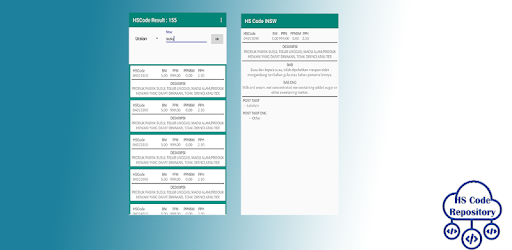
Search for Hs Code or Description in Indonesian or English form. This application as a single reference for trader to find the information related to import & export procedure and will allow traders easier access and better compliance with prescribed regulations, reducing the amount of time necessary for each transaction. This improvement will help cut cost of trading.
The search results are HS Code, Description, English Description, Post Rates, Post Rates English, Chapters, Chapters English, VAT, PPNBM, PPH many more.
This application has no cooperation with the government or anywhere, the data we get is purely a manual of work on our excel sourced directly from insw
The developing of INTR will integrate with other NTR of ASEAN member state to support the data and information of ASEAN Trade Repository.
Disclaimer :
The texts and materials printed on this application serve a strictly informative purpose, and haven't any unofficial or position within the type they're printed here.
In specific, any pact text reproduced on this application has no binding legal nature. solely the initial legal instruments, within the original languages of indonesian Member States have binding legal nature and will be relied on for functions of application, interpretation and compliance.
Moreover, any summaries of knowledge, instructive materials and descriptions contained on this application aren't meant to be thoroughgoing or official, and don't have an effect on the rights and obligations of indonesian Member States.
The identification, description and classification of non-tariff measu`res, and therefore the classification of measures adopted and maintained by indonesian Member States contained during this application, aren't meant to produce any authoritative or unofficial legal interpretation of the provisions of the ATIGA, the world organization or of the compliance of measures adopted and maintained by indonesian Member States with such provisions.
References to geographical or alternative territories and groupings area unit based mostly only on terms provided to the indonesian Secretariat by indonesian Member States. the employment of such terms on this application associated within the materials contained in this doesn't represent or imply an expression of opinion by the indonesian Secretariat regarding the standing of any country or territory, or the bounds of its frontiers, or sovereignty.
The colors, boundaries and names shown and therefore the designations used on maps on the market from this application don't imply any judgment, unofficial endorsement or acceptance by the indonesian on the position or frontier of any territory. word enclosed in documents or alternative materials provided formally or informally by indonesian Member States to the indonesian Secretariat and denote on this application has no implications for the problem of sovereignty.
This application is that the solely unofficial application of the indonesian Trade Repository. Except with its consent, the indonesian shall not be chargeable for data denote on, or document contained in, the other application alleging or suggesting in any manner some affiliation with the indonesian.
- Fix Bug Link for Communication to server
- Upgrade Performance for Quick Search
- Added Disclaimer
Allows applications to open network sockets.
Allows applications to access information about networks.
Allows using PowerManager WakeLocks to keep processor from sleeping or screen from dimming.


