Toddler Drawing Apps for Kids on Windows Pc
Developed By: Bini Games
License: Free
Rating: 4,0/5 - 78.973 votes
Last Updated: August 04, 2026
Game Details
| Version |
7.2.0 |
| Size |
368.6 MB |
| Release Date |
September 19, 25 |
| Category |
Educational Games |
|
Game Permissions:
Allows applications to access information about networks. [see more (6)]
|
|
What's New:
Minor bugs have been fixed. Enjoy the smoother play! Got any ideas on how to make the app even better? We would be happy to hear from you at feedback@bini.... [see more]
|
|
Description from Developer:
🎨Kids drawing app for your little artist! 🖍️Jump into a world of creativity where kids doodle comes to life! ✨Learn to 123 draw step-by-step and watch art become magical!😻
Are you... [read more]
|
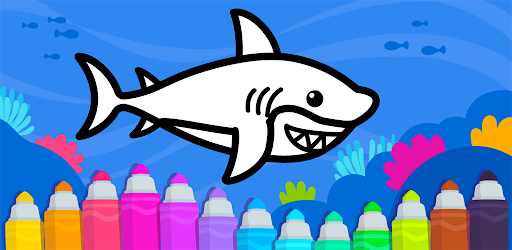
About this game
On this page you can download Toddler Drawing Apps for Kids and play on Windows PC. Toddler Drawing Apps for Kids is free Educational game, developed by Bini Games. Latest version of Toddler Drawing Apps for Kids is 7.2.0, was released on 2025-09-19 (updated on 2026-08-04). Estimated number of the downloads is more than 10,000,000. Overall rating of Toddler Drawing Apps for Kids is 4,0. Generally most of the top apps on Android Store have rating of 4+. This game had been rated by 78,973 users, 53,147 users had rated it 5*, 13,805 users had rated it 1*.
How to play Toddler Drawing Apps for Kids on Windows?
Instruction on how to play Toddler Drawing Apps for Kids on Windows 10 Windows 11 PC & Laptop
In this post, I am going to show you how to install Toddler Drawing Apps for Kids on Windows PC by using Android App Player such as BlueStacks, LDPlayer, Nox, KOPlayer, ...
Before you start, you will need to download the APK/XAPK installer file, you can find download button on top of this page. Save it to easy-to-find location.
[Note] You can also download older versions of this game on bottom of this page.
Below you will find a detailed step-by-step guide, but I want to give you a fast overview of how it works. All you need is an emulator that will emulate an Android device on your Windows PC and then you can install applications and use it - you see you're playing it on Android, but this runs not on a smartphone or tablet, it runs on a PC.
If this doesn't work on your PC, or you cannot install, comment here and we will help you!
Step By Step Guide To Play Toddler Drawing Apps for Kids using BlueStacks
- Download and Install BlueStacks at: https://www.bluestacks.com. The installation procedure is quite simple. After successful installation, open the Bluestacks emulator. It may take some time to load the Bluestacks app initially. Once it is opened, you should be able to see the Home screen of Bluestacks.
- Open the APK/XAPK file: Double-click the APK/XAPK file to launch BlueStacks and install the application. If your APK/XAPK file doesn't automatically open BlueStacks, right-click on it and select Open with... Browse to the BlueStacks. You can also drag-and-drop the APK/XAPK file onto the BlueStacks home screen
- Once installed, click "Toddler Drawing Apps for Kids" icon on the home screen to start playing, it'll work like a charm :D
[Note 1] For better performance and compatibility, choose BlueStacks 5 Nougat 64-bit read more
[Note 2] about Bluetooth: At the moment, support for Bluetooth is not available on BlueStacks. Hence, apps that require control of Bluetooth may not work on BlueStacks.
How to play Toddler Drawing Apps for Kids on Windows PC using NoxPlayer
- Download & Install NoxPlayer at: https://www.bignox.com. The installation is easy to carry out.
- Drag the APK/XAPK file to the NoxPlayer interface and drop it to install
- The installation process will take place quickly. After successful installation, you can find "Toddler Drawing Apps for Kids" on the home screen of NoxPlayer, just click to open it.
Discussion
(*) is required
🎨Kids drawing app for your little artist! 🖍️Jump into a world of creativity where kids doodle comes to life! ✨Learn to 123 draw step-by-step and watch art become magical!😻
Are you looking for the perfect kids drawing app to inspire your child's creativity? 🖍️Our toddler draw app offers an amazing collection of over 100 drawing tasks designed specifically for little hands! 😻 Your child can follow dotted lines, baby drawing freely, and learn how to draw their favorite characters. Even toddlers as young as one and a half can enjoy these simple, engaging lessons. It's the perfect introduction to art and creativity!🖌️
🎨The magic of drawing apps kids love continues with every stroke! 🎉 Our app helps children learn to draw kids' favorite characters while developing essential skills. In these kids doodle games, every masterpiece transforms into an animated mini-cartoon. Will it be a bright sun☀️, an adorable cat🐱, a speedy car🚗, or maybe a beautiful princess?👑 The possibilities are endless in our creative learning environment!🎨
Features:
🖍️ Over 100 art for kids coloring activities
🎨 Adorable characters and animals
🖌️ Learn how to draw step-by-step tutorials
🎉 Toddler drawing games with 300+ fun animations
❤️ Drawing carnival and princess themes
😸 Fine motor skills development
🖼️ Gallery to save all artwork
📚 ABCs and numbers learning integration
Can drawing games for kids truly combine entertainment with education?📚 Absolutely! With our baby drawing game, your little one learns colors, shapes, and numbers while creating beautiful art!🖍️ As they enjoy cat drawing and other activities, they'll develop fine motor skills, hand-eye coordination, and creative thinking. Our interactive drawing pad for kids encourages self-expression and builds confidence with every completed masterpiece!❤️
Just five minutes in our drawing pad for kids can spark endless imagination!🎨 All artwork is automatically saved in a personalized gallery, creating precious keepsakes you'll treasure forever. Watching their drawings come alive with animations will make kids smile from ear to ear! Our drawing apps for kids transform screen time into productive learning time. Parents love how our kids drawing app keeps children engaged while developing real-world skills. Download today and discover why families worldwide trust our app!✨
Please note: only part of the content in the screenshots is available in the free version of the app. To gain access to all app content, you need to make an in-app purchase.
ABOUT BINI GAMES
Founded in 2012, Bini Games has grown into a team of over 250 passionate professionals dedicated to children's education. We've created more than 30 educational apps, including 123 draw activities, toddler draw experiences, and engaging drawing games for kids. With millions of downloads worldwide, our apps help children learn through play. Our drawing pad brings art education right to your fingertips, making learning to draw fun and accessible for every child. Join our global family today!
If you need help, have questions or just want to say “hi!”, get in touch at feedback@bini.games
https://binibambini.com/
https://binibambini.com/terms-of-use/
https://binibambini.com/privacy-policy/
Minor bugs have been fixed. Enjoy the smoother play!
Got any ideas on how to make the app even better? We would be happy to hear from you at feedback@bini.games. Think that we've done a great job? Rate us in the store!
Allows applications to access information about networks.
Marker permission for applications that wish to access notification policy.
Allows an application to receive the ACTION_BOOT_COMPLETED that is broadcast after the system finishes booting.
Allows using PowerManager WakeLocks to keep processor from sleeping or screen from dimming.
Allows access to the vibrator.
Allows applications to open network sockets.


