Invata Engleza on Windows Pc
Developed By: Valon Januzi
License: Free
Rating: 5,0/5 - 1 votes
Last Updated: August 05, 2026
App Details
| Version |
2.2.4 |
| Size |
31.2 MB |
| Release Date |
December 09, 25 |
| Category |
Education Apps |
|
App Permissions:
Allows applications to access information about networks. [see more (6)]
|
|
What's New:
Lecții AI îmbunătățite: lecțiile se adaptează acum și mai bine la nivelul tău de abilități pentru o experiență de învățare personalizată. Noul generator de... [see more]
|
|
Description from Developer:
Discover the fastest way to learn English for Romanian students with AI!
Our app is designed to make learning English simple and effective for Romanian speakers, whether you'r... [read more]
|
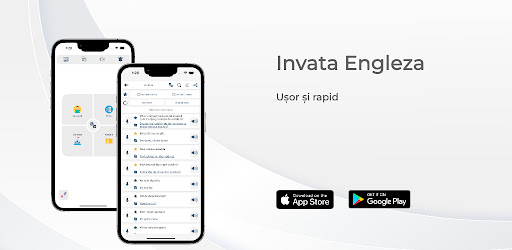
About this app
On this page you can download Invata Engleza and install on Windows PC. Invata Engleza is free Education app, developed by Valon Januzi. Latest version of Invata Engleza is 2.2.4, was released on 2025-12-09 (updated on 2026-08-05). Estimated number of the downloads is more than 100,000. Overall rating of Invata Engleza is 5,0. Generally most of the top apps on Android Store have rating of 4+. This app had been rated by 1 users, 1 users had rated it 5*, 0 users had rated it 1*.
How to install Invata Engleza on Windows?
Instruction on how to install Invata Engleza on Windows 10 Windows 11 PC & Laptop
In this post, I am going to show you how to install Invata Engleza on Windows PC by using Android App Player such as BlueStacks, LDPlayer, Nox, KOPlayer, ...
Before you start, you will need to download the APK/XAPK installer file, you can find download button on top of this page. Save it to easy-to-find location.
[Note] You can also download older versions of this app on bottom of this page.
Below you will find a detailed step-by-step guide, but I want to give you a fast overview of how it works. All you need is an emulator that will emulate an Android device on your Windows PC and then you can install applications and use it - you see you're playing it on Android, but this runs not on a smartphone or tablet, it runs on a PC.
If this doesn't work on your PC, or you cannot install, comment here and we will help you!
Step By Step Guide To Install Invata Engleza using BlueStacks
- Download and Install BlueStacks at: https://www.bluestacks.com. The installation procedure is quite simple. After successful installation, open the Bluestacks emulator. It may take some time to load the Bluestacks app initially. Once it is opened, you should be able to see the Home screen of Bluestacks.
- Open the APK/XAPK file: Double-click the APK/XAPK file to launch BlueStacks and install the application. If your APK/XAPK file doesn't automatically open BlueStacks, right-click on it and select Open with... Browse to the BlueStacks. You can also drag-and-drop the APK/XAPK file onto the BlueStacks home screen
- Once installed, click "Invata Engleza" icon on the home screen to start using, it'll work like a charm :D
[Note 1] For better performance and compatibility, choose BlueStacks 5 Nougat 64-bit read more
[Note 2] about Bluetooth: At the moment, support for Bluetooth is not available on BlueStacks. Hence, apps that require control of Bluetooth may not work on BlueStacks.
How to install Invata Engleza on Windows PC using NoxPlayer
- Download & Install NoxPlayer at: https://www.bignox.com. The installation is easy to carry out.
- Drag the APK/XAPK file to the NoxPlayer interface and drop it to install
- The installation process will take place quickly. After successful installation, you can find "Invata Engleza" on the home screen of NoxPlayer, just click to open it.
Discussion
(*) is required
Discover the fastest way to learn English for Romanian students with AI!
Our app is designed to make learning English simple and effective for Romanian speakers, whether you're a complete beginner or advancing your skills. With interactive, AI-based lessons that adapt to your level, you'll master English quickly and confidently.
Personalized AI lessons
Each lesson is tailored to suit your current level, evolving as you progress. From basic phrases to complex conversations, you'll have a truly personalized language journey.
Comprehensive grammar and vocabulary
Delve into grammar guides and explore an expanded vocabulary with our word generator feature, which brings you essential new words and phrases across a range of topics.
Real life conversations and pronunciation practice
Learn to speak confidently with conversations based on real-life situations. Practice pronunciation with native audio and explore the nuances of English culture, expressions and everyday language.
Development of multiple skills
Strengthen all your key skills - reading, speaking, listening and writing - with comprehensive exercises. Listen to native English speakers, read engaging stories and write sentences to practice on your own.
Essentials and everyday basics
Start with the alphabet, numbers, days, months and seasons to build a solid foundation in English. These essentials prepare you to tackle more complex topics as you progress.
Useful phrases for any situation
With the right phrases for home, work, travel and more, you'll always have the right words at your fingertips. Whether it's greetings, dining, asking for directions, or navigating social settings, our app equips you to communicate with confidence.
Real-world grammar in context
Learn to use nouns, adjectives, adverbs and different tenses in practical sentences. Real-life examples and guided practice make English grammar easy to understand.
Engaging reading practice
Improve your reading skills with stories told by native speakers. Listen to whole stories or practice sentence by sentence, then read aloud to improve fluency.
Visual learning with photo illustrations
Remember words faster and easier with picture-based learning. Our photo illustrations make vocabulary memorable and engaging.
Fun quizzes and quizzes
Challenge yourself with various tests such as word matching, translation, listening comprehension and pronunciation. These quizzes help you track your progress and reinforce your knowledge.
Explore topics including:
• Alphabet, Grammar and Numbers
• Daily words and phrases
• Days of the week, months and seasons
• Vocabulary at home, work and travel
• Conversations in restaurants, shops, hospitals and more
• Phrases for sports, expressing emotions and more
Our app is specially designed for Romanian speakers, providing Romanian translations, explanations and examples to help you easily understand English concepts. It creates the difference between the two languages, ensuring a seamless learning experience.
Additional features
• Offline mode: Learn on the go without internet access.
• Progress Tracking: See how far you've come with detailed statistics and achievements.
• Interactive Challenges: Join a community of learners and compete in fun language games.
Privacy Policy: https://sites.google.com/view/invataengeleza/privacy-policy
Terms of Use: https://albcoding.com/terms-of-use-subscription-apps/
Lecții AI îmbunătățite: lecțiile se adaptează acum și mai bine la nivelul tău de abilități pentru o experiență de învățare personalizată.
Noul generator de vocabular: explorați cuvinte și expresii noi adaptate nivelului dvs. cu generatorul nostru de cuvinte actualizat.
Ghiduri gramaticale îmbunătățite: secțiuni gramaticale actualizate cu explicații mai clare și mai multe exemple.
Allows applications to access information about networks.
Allows an application to receive the ACTION_BOOT_COMPLETED that is broadcast after the system finishes booting.
Allows access to the vibrator.
Allows using PowerManager WakeLocks to keep processor from sleeping or screen from dimming.
Allows an application to record audio.
Allows applications to open network sockets.


