Zombie Run Endless Rush Runner on Windows Pc
Developed By: RetroStyle Games UA
License: Free
Rating: 3,4/5 - 83.795 votes
Last Updated: August 04, 2026
Game Details
| Version |
2.5.3 |
| Size |
106.9 MB |
| Release Date |
January 29, 26 |
| Category |
Action Games |
|
Game Permissions:
Allows access to the vibrator. [see more (5)]
|
|
What's New:
New Update available!We have cleaned up a few things behind the scenes to improve your experience.Bug fixes and improvements.Keep running! [see more]
|
|
Description from Developer:
Welcome to Zombie Run - An Endless Running Simulator!
Show that you are the most agile and enduring zombie on the planet in an endless runner, Zombie Run! The fun offline game that... [read more]
|
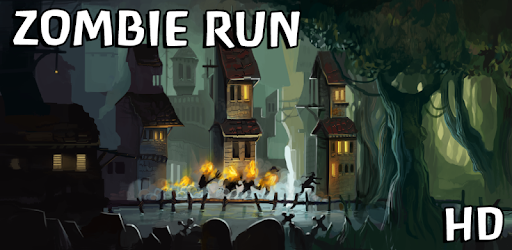
About this game
On this page you can download Zombie Run Endless Rush Runner and play on Windows PC. Zombie Run Endless Rush Runner is free Action game, developed by RetroStyle Games UA. Latest version of Zombie Run Endless Rush Runner is 2.5.3, was released on 2026-01-29 (updated on 2026-08-04). Estimated number of the downloads is more than 10,000,000. Overall rating of Zombie Run Endless Rush Runner is 3,4. Generally most of the top apps on Android Store have rating of 4+. This game had been rated by 83,795 users, 42,917 users had rated it 5*, 27,249 users had rated it 1*.
How to play Zombie Run Endless Rush Runner on Windows?
Instruction on how to play Zombie Run Endless Rush Runner on Windows 10 Windows 11 PC & Laptop
In this post, I am going to show you how to install Zombie Run Endless Rush Runner on Windows PC by using Android App Player such as BlueStacks, LDPlayer, Nox, KOPlayer, ...
Before you start, you will need to download the APK/XAPK installer file, you can find download button on top of this page. Save it to easy-to-find location.
[Note] You can also download older versions of this game on bottom of this page.
Below you will find a detailed step-by-step guide, but I want to give you a fast overview of how it works. All you need is an emulator that will emulate an Android device on your Windows PC and then you can install applications and use it - you see you're playing it on Android, but this runs not on a smartphone or tablet, it runs on a PC.
If this doesn't work on your PC, or you cannot install, comment here and we will help you!
Step By Step Guide To Play Zombie Run Endless Rush Runner using BlueStacks
- Download and Install BlueStacks at: https://www.bluestacks.com. The installation procedure is quite simple. After successful installation, open the Bluestacks emulator. It may take some time to load the Bluestacks app initially. Once it is opened, you should be able to see the Home screen of Bluestacks.
- Open the APK/XAPK file: Double-click the APK/XAPK file to launch BlueStacks and install the application. If your APK/XAPK file doesn't automatically open BlueStacks, right-click on it and select Open with... Browse to the BlueStacks. You can also drag-and-drop the APK/XAPK file onto the BlueStacks home screen
- Once installed, click "Zombie Run Endless Rush Runner" icon on the home screen to start playing, it'll work like a charm :D
[Note 1] For better performance and compatibility, choose BlueStacks 5 Nougat 64-bit read more
[Note 2] about Bluetooth: At the moment, support for Bluetooth is not available on BlueStacks. Hence, apps that require control of Bluetooth may not work on BlueStacks.
How to play Zombie Run Endless Rush Runner on Windows PC using NoxPlayer
- Download & Install NoxPlayer at: https://www.bignox.com. The installation is easy to carry out.
- Drag the APK/XAPK file to the NoxPlayer interface and drop it to install
- The installation process will take place quickly. After successful installation, you can find "Zombie Run Endless Rush Runner" on the home screen of NoxPlayer, just click to open it.
Discussion
(*) is required
Welcome to Zombie Run - An Endless Running Simulator!
Show that you are the most agile and enduring zombie on the planet in an endless runner, Zombie Run! The fun offline game that attracted more than 20 million players is here with a new Jumanji-themed location! Running gameplay with crash nightmare catchers is here, so be a minion Zombie, who is in a constant rush! Are you ready to crash into obstacles? Or you stay idle and ignore this fun running game? It's your call.
Run, Dash, and Crash all the Obstacles!
In this offline endless running game, you are a Zombie who is in a rush for his undead living. Be an angry nightmare creature with tsunami-like powers and marbles! Test your minion with a fun lava hot level full of nightmares! Jump over rails, dash, and crash the barriers in your endless runs! Prove your runner skills, unlock new catchers, find marbles, and fight nightmares. All this to show that zombie grans are not just angry, but also have sonic speed to dash and crash for their lives!
Personalize your character!
Don’t want to be just a Zombie? There are runners and minions for your Bandicoot sonic-speed games. Will you be Jumanji-inspired temple explorers? A gran with cookies? Or will you join the rush as mystery catchers? We have every minion runner, from sonic-speed superheroes to Jumanji-themed mascots. All for you to feel free and be a hero of a fun, offline, endless Zombie running spree!
Zuperman - a runner that crashes like a tsunami in a zombie apocalypse!
Zatman - A nightmare fuel and a sonic-speed catcher of zombie criminals!
Temple Runner - A Jumanji-themed jungle runner who lost his marbles!
Want to run as a gran chasing cookies? Or do you prefer other heroes we have?
Zcooby Doo - A funny zombie and a ghost catcher in his free time!
Zombario - A minion zombie runner in a fun, endless escape!
Donut Lover - A sonic-speed runner who loves lava-hot cookies, marbles, and brains as a funny zombie!
Zombie Raccoon - A Marvel-themed bandicoot runner with dashing and crashing abilities!
Zich King - A nightmare catcher of the dead (and cookies)!
Which minion will join your endless offline adventure?
Explore new locations!
Don’t be a gran and run like a sonic-speed tsunami in an Aztec temple - a new Jumanji-inspired lava hot jungle full of dangers. Avoid traps in your endless offline fun running game, and don’t stay idle: hot lava or a tsunami is waiting. Pick the angry minion runner who moves at sonic speed, and don’t stay idle! Join the rush to explore the fun and hot level!
Key features of Zombie Run
True offline action - a sonic-speed running game for players!
Free to play - hop into your endless run even offline!
Enhanced visuals - enjoy the lava jungle in a lag-free runner!
Addictive story - a fun combination of horror and sonic-speed dashing!
Simple controls - dash and crash through traps like a running pro!
Constant progression - don’t stay idle, and collect potions that taste cookies to make your minion a sonic-speed runner!
Season events - feel fun vibes while on your jungle temple running spree!
Real dangers - be a tsunami-like force, but avoid lava pits!
Zombie Run is not just an offline endless arcade - it is a fun running game with a jungle temple, where YOU are constantly on the edge! Angry nightmare monsters? Or just fun and sonic-speed running gameplay? In any case, Zombie Run has it all, and will be a fun offline game for fans of evil zombies in an endless rush!
From the creators of Spirit Run!
We create incredible offline running games with great graphics and sonic-speed action. More than 20 million downloads prove that Zombie Run is not just a jungle temple runner. It's a test of your skills in a fun sonic-speed rush!
Don’t stay idle!
Try the game and enjoy an offline rush of fun in the best runner. Be a real tsunami to crash obstacles, find new catchers, and avoid lava traps and rails. All the sonic-speed action in the Jumanji temple for your endless adventure!
New Update available!
We have cleaned up a few things behind the scenes to improve your experience.
Bug fixes and improvements.
Keep running!
Allows access to the vibrator.
Allows applications to open network sockets.
Allows applications to access information about networks.
Allows applications to access information about Wi-Fi networks.
Allows using PowerManager WakeLocks to keep processor from sleeping or screen from dimming.


