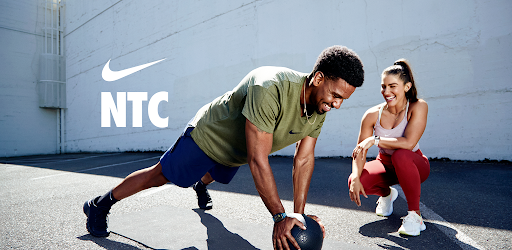
Nike Training Club on Windows Pc
Developed By: Nike, Inc.
License: Free
Rating: 4,3/5 - 372.860 votes
Last Updated: August 04, 2026
App Details
| Version |
6.69.2 |
| Size |
102.7 MB |
| Release Date |
December 12, 25 |
| Category |
Health & Fitness Apps |
|
App Permissions:
Allows applications to access information about networks. [see more (14)]
|
|
What's New:
Bug fixes and enhancements. [see more]
|
|
Description from Developer:
Nike Training Club isn't just another workout app — it's a portal to Nike's top trainers, athletes and experts. It's where you can access industry-leading workout p... [read more]
|
About this app
On this page you can download Nike Training Club and install on Windows PC. Nike Training Club is free Health & Fitness app, developed by Nike, Inc.. Latest version of Nike Training Club is 6.69.2, was released on 2025-12-12 (updated on 2026-08-04). Estimated number of the downloads is more than 10,000,000. Overall rating of Nike Training Club is 4,3. Generally most of the top apps on Android Store have rating of 4+. This app had been rated by 372,860 users, 265,840 users had rated it 5*, 32,829 users had rated it 1*.
How to install Nike Training Club on Windows?
Instruction on how to install Nike Training Club on Windows 10 Windows 11 PC & Laptop
In this post, I am going to show you how to install Nike Training Club on Windows PC by using Android App Player such as BlueStacks, LDPlayer, Nox, KOPlayer, ...
Before you start, you will need to download the APK/XAPK installer file, you can find download button on top of this page. Save it to easy-to-find location.
[Note] You can also download older versions of this app on bottom of this page.
Below you will find a detailed step-by-step guide, but I want to give you a fast overview of how it works. All you need is an emulator that will emulate an Android device on your Windows PC and then you can install applications and use it - you see you're playing it on Android, but this runs not on a smartphone or tablet, it runs on a PC.
If this doesn't work on your PC, or you cannot install, comment here and we will help you!
Step By Step Guide To Install Nike Training Club using BlueStacks
- Download and Install BlueStacks at: https://www.bluestacks.com. The installation procedure is quite simple. After successful installation, open the Bluestacks emulator. It may take some time to load the Bluestacks app initially. Once it is opened, you should be able to see the Home screen of Bluestacks.
- Open the APK/XAPK file: Double-click the APK/XAPK file to launch BlueStacks and install the application. If your APK/XAPK file doesn't automatically open BlueStacks, right-click on it and select Open with... Browse to the BlueStacks. You can also drag-and-drop the APK/XAPK file onto the BlueStacks home screen
- Once installed, click "Nike Training Club" icon on the home screen to start using, it'll work like a charm :D
[Note 1] For better performance and compatibility, choose BlueStacks 5 Nougat 64-bit read more
[Note 2] about Bluetooth: At the moment, support for Bluetooth is not available on BlueStacks. Hence, apps that require control of Bluetooth may not work on BlueStacks.
How to install Nike Training Club on Windows PC using NoxPlayer
- Download & Install NoxPlayer at: https://www.bignox.com. The installation is easy to carry out.
- Drag the APK/XAPK file to the NoxPlayer interface and drop it to install
- The installation process will take place quickly. After successful installation, you can find "Nike Training Club" on the home screen of NoxPlayer, just click to open it.
Discussion
(*) is required
Nike Training Club isn't just another workout app — it's a portal to Nike's top trainers, athletes and experts. It's where you can access industry-leading workout programming and legit coaching for free. Whether you put in the work at the gym or at home, NTC is here to power your progress. If you're serious about your fitness, this is where you train.
Nike Members get free access to the latest strength training, conditioning, yoga, pilates, recovery and mindfulness content. Train the way you want and reach your goals with Nike Training Club.
EXPERT PROGRAMMING FOR EVERY LEVEL
• Gym workouts: Curated strength and conditioning workouts and programs designed for the gym
• Home workouts: Whiteboard and trainer-led workouts made for small spaces, travel and lack of equipment
• Total-body strength: Programming to develop muscular strength, hypertrophy, power and endurance
• Conditioning: High-intensity workouts, including high-intensity interval and sprint-interval training
• Core workouts: Workouts for strong abs and more
• Yoga and pilates: Flows and postures to stretch and strengthen
• Recovery: Self-myofascial release, stretching, walking and more
• Mindfulness: Guidance on staying present to improve performance and experience
ACCESSIBLE AND PROGRESSIVE WORKOUTS
• Something for everyone: Find advanced workout programming, beginner workouts and everything in between
• On your terms: Join on-demand, trainer-led classes or follow whiteboard workouts on your own
• Train for something: Achieve your goals with weeks-long workout programs for the gym or home
• Training guidance: Explore a library of in-depth training information at your fingertips
• Nike-only inspiration: Advice and insights from Nike's top trainers, athletes and experts
• Find your favorite exercise: Strength training, conditioning, HIIT workouts, yoga, pilates and more
• Strengthen every muscle: Workouts that target arms, legs, abs and more
• Bodyweight training: Equipment-free workouts that build muscle
• Track achievements: Log completed workouts and celebrate accomplishments
WORKOUT ON DEMAND
• Workouts for any level: Choose from multiple trainer-led, Video On Demand (VOD) classes*
• Workouts for all modalities: Find workouts focused on strength training, conditioning, yoga, pilates and more
• Premiere workouts: Work out with elite athletes and entertainers*
• NTC TV: Train hands-free and get group class experiences at home**
Download Nike Training Club and train with us.
ALL YOUR ACTIVITIES COUNT
Add every workout in the Activity tab to keep an accurate account of your training journey. If you use the Nike Run Club app, your runs will be automatically recorded in your activity history.
NTC works with Google Fit to sync workouts and record heart-rate data.
https://play.google.com/store/apps/details?id=com.nike.ntc&hl=en_US&gl=US
*VOD (Video-On Demand) available in the US, UK, BR, JP, CN, FR, DE, RU, IT, ES, MX and KR.
**NTC TV available only in the US.
Bug fixes and enhancements.
Allows applications to access information about networks.
Allows applications to open network sockets.
Allows applications to write the sync settings.
Allows applications to read the sync settings.
Allows applications to read the sync stats.
Allows using PowerManager WakeLocks to keep processor from sleeping or screen from dimming.
Required to be able to access the camera device.
Allows an app to access approximate location.
Allows an app to access precise location.
Allows an application to read the user's contacts data.
Allows an application to receive the ACTION_BOOT_COMPLETED that is broadcast after the system finishes booting.
Allows applications to access information about Wi-Fi networks.
Allows an application to write to external storage.
Allows access to the vibrator.