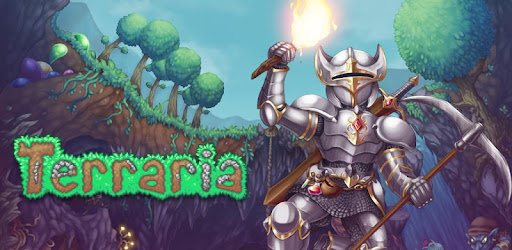
Terraria on Windows Pc
Developed By: 505 Games Srl
License: Free
Rating: 4,6/5 - 405.122 votes
Last Updated: August 05, 2026
Game Details
| Version |
1.4.5.6.4 |
| Size |
1 MB |
| Release Date |
March 24, 26 |
| Category |
Adventure Games |
|
What's New:
Updated to sync with 1.4.5.6 PC• Fixed several crashes reported by players.• Fixed an issue with a background having a hard cut-off when a forest and hallow... [see more]
|
|
Description from Developer:
The world is at your fingertips as you fight for survival, explore for fortune, and dig for glory. Delve deep into cavernous expanses, test your mettle in combat, or construct your... [read more]
|
About this game
On this page you can download Terraria and play on Windows PC. Terraria is free Adventure game, developed by 505 Games Srl. Latest version of Terraria is 1.4.5.6.4, was released on 2026-03-24 (updated on 2026-08-05). Estimated number of the downloads is more than 5,000,000. Overall rating of Terraria is 4,6. Generally most of the top apps on Android Store have rating of 4+. This game had been rated by 405,122 users, 330,897 users had rated it 5*, 26,146 users had rated it 1*.
How to play Terraria on Windows?
Instruction on how to play Terraria on Windows 10 Windows 11 PC & Laptop
In this post, I am going to show you how to install Terraria on Windows PC by using Android App Player such as BlueStacks, LDPlayer, Nox, KOPlayer, ...
Before you start, you will need to download the APK/XAPK installer file, you can find download button on top of this page. Save it to easy-to-find location.
[Note] You can also download older versions of this game on bottom of this page.
Below you will find a detailed step-by-step guide, but I want to give you a fast overview of how it works. All you need is an emulator that will emulate an Android device on your Windows PC and then you can install applications and use it - you see you're playing it on Android, but this runs not on a smartphone or tablet, it runs on a PC.
If this doesn't work on your PC, or you cannot install, comment here and we will help you!
Step By Step Guide To Play Terraria using BlueStacks
- Download and Install BlueStacks at: https://www.bluestacks.com. The installation procedure is quite simple. After successful installation, open the Bluestacks emulator. It may take some time to load the Bluestacks app initially. Once it is opened, you should be able to see the Home screen of Bluestacks.
- Open the APK/XAPK file: Double-click the APK/XAPK file to launch BlueStacks and install the application. If your APK/XAPK file doesn't automatically open BlueStacks, right-click on it and select Open with... Browse to the BlueStacks. You can also drag-and-drop the APK/XAPK file onto the BlueStacks home screen
- Once installed, click "Terraria" icon on the home screen to start playing, it'll work like a charm :D
[Note 1] For better performance and compatibility, choose BlueStacks 5 Nougat 64-bit read more
[Note 2] about Bluetooth: At the moment, support for Bluetooth is not available on BlueStacks. Hence, apps that require control of Bluetooth may not work on BlueStacks.
How to play Terraria on Windows PC using NoxPlayer
- Download & Install NoxPlayer at: https://www.bignox.com. The installation is easy to carry out.
- Drag the APK/XAPK file to the NoxPlayer interface and drop it to install
- The installation process will take place quickly. After successful installation, you can find "Terraria" on the home screen of NoxPlayer, just click to open it.
Discussion
(*) is required
The world is at your fingertips as you fight for survival, explore for fortune, and dig for glory. Delve deep into cavernous expanses, test your mettle in combat, or construct your own city!
Terraria offers more than ever - including the brand new 1.4.5 Bigger and Boulder Content!
Presenting an impressive catalogue of 5,000+ items, 25+ NPCs, and 400+ enemies and blending elements of classic action games with sandbox-style creativity, Terraria is truly a unique adventure!
The latest content update includes:
NEW 1.4.5 CONTENT:
- Dead Cells crossover content – new weapons, combat accessories and more!
- Iconic Pals from Palworld have arrived in Terraria!
- Fifteen new furniture sets.
- Five new types of boulders — watch your step!
- Four new transformation mounts.
- New whips and Summoner prefixes.
- New Kites, critters, and decorative features.
- And so much more to discover!
NEW WORLD SEEDS TO DISCOVER:
- A new Skyblock world seed.
- A new world creation menu allowing you to mix and match special seeds.
- Improvements to existing seeds!
IMPROVEMENTS:
- Reworks and balance improvements to weapons.
- Visual updates to many classic sprites.
- And so many more improvements!
• MULTIPLAYER – Play with up to 7 friends on Local Wifi or Online via device-device Wifi hosted games or through the Mobile Terraria Dedicated Server for PC (available for free on Terraria.org)
• TERRARIA REIMAGINED FOR MOBILE – Fully customizable controls and User Interface provide a level of polish and capability not previously possible!
• Gamepad support – including fully-remappable buttons - Play with your Bluetooth connected gamepad where supported.
• Full array of World sizes – Small/Medium/Large...the same size as on Terraria for PC! Now includes random world name generator and the ability to use World Seeds (including some hidden easter egg worlds)
• Over 400 enemies to combat, defeat, and plunder for loot
• Over 20 Biomes and Mini-Biomes to explore, both above and underground – from lush forests to barren deserts to dungeons, the underworld, and even the terrifying Corruption await!
• Updated crafting with multiple added item options
• Over 20 NPCs to discover, each providing their own benefits and unique style
• More than 1000 new items to discover – bringing the total item count to more than 5000!
• In-depth building options that are easy to learn but allow for amazing feats of architecture in the hands of a master.
• And much, much more!
In short, every pixel of Terraria has been reimagined and hand crafted for the BEST possible mobile experience!
Follow us on Twitter @Terraria_Logic and @505_Games
Join our community on Discord @ http://Discord.GG/Terraria
Like us on Facebook at www.facebook.com/TerrariaOfficial and https://www.facebook.com/505Games
Visit us on the web at www.terraria.org
Join the official Terraria Forums at: https://forums.terraria.org/
Updated to sync with 1.4.5.6 PC
• Fixed several crashes reported by players.
• Fixed an issue with a background having a hard cut-off when a forest and hallow are next to each other, thanks Strongman for your world file!
• Added Andy Bold Cyrillic font for Russian text