Home  /  Business Apps  / CamCard-AI Scanner, Transcribe on Windows Pc

CamCard-AI Scanner, Transcribe on Windows Pc

Developed By: INTSIG

License: Free

Rating: 3,0/5 - 13.702 votes

Last Updated: August 05, 2026

Download on Windows PC

Compatible with Windows 10/11 PC & Laptop

App Details

Version 8.18.4.20250423
Size 124.7 MB
Release Date May 04, 25
Category Business Apps

App Permissions:
Allows an application to read the user's contacts data. [see more (20)]

What's New:
Bug fixes and performance improvements for a better experience. [see more]

Description from Developer:
Join a huge number of users who trust CamCard to create digital business cards and efficiently scan paper cards.

Key Features:

Customizable Templates
Personalize your digital bu... [read more]

App preview ([see all 9 screenshots])

App preview

About this app

On this page you can download CamCard-AI Scanner, Transcribe and install on Windows PC. CamCard-AI Scanner, Transcribe is free Business app, developed by INTSIG. Latest version of CamCard-AI Scanner, Transcribe is 8.18.4.20250423, was released on 2025-05-04 (updated on 2026-08-05). Estimated number of the downloads is more than 100,000. Overall rating of CamCard-AI Scanner, Transcribe is 3,0. Generally most of the top apps on Android Store have rating of 4+. This app had been rated by 13,702 users, 5,615 users had rated it 5*, 5,751 users had rated it 1*.

How to install CamCard-AI Scanner, Transcribe on Windows?

Instruction on how to install CamCard-AI Scanner, Transcribe on Windows 10 Windows 11 PC & Laptop

In this post, I am going to show you how to install CamCard-AI Scanner, Transcribe on Windows PC by using Android App Player such as BlueStacks, LDPlayer, Nox, KOPlayer, ...

Before you start, you will need to download the APK/XAPK installer file, you can find download button on top of this page. Save it to easy-to-find location.

[Note] You can also download older versions of this app on bottom of this page.

Below you will find a detailed step-by-step guide, but I want to give you a fast overview of how it works. All you need is an emulator that will emulate an Android device on your Windows PC and then you can install applications and use it - you see you're playing it on Android, but this runs not on a smartphone or tablet, it runs on a PC.

If this doesn't work on your PC, or you cannot install, comment here and we will help you!

Step By Step Guide To Install CamCard-AI Scanner, Transcribe using BlueStacks

  1. Download and Install BlueStacks at: https://www.bluestacks.com. The installation procedure is quite simple. After successful installation, open the Bluestacks emulator. It may take some time to load the Bluestacks app initially. Once it is opened, you should be able to see the Home screen of Bluestacks.
  2. Open the APK/XAPK file: Double-click the APK/XAPK file to launch BlueStacks and install the application. If your APK/XAPK file doesn't automatically open BlueStacks, right-click on it and select Open with... Browse to the BlueStacks. You can also drag-and-drop the APK/XAPK file onto the BlueStacks home screen
  3. Once installed, click "CamCard-AI Scanner, Transcribe" icon on the home screen to start using, it'll work like a charm :D

[Note 1] For better performance and compatibility, choose BlueStacks 5 Nougat 64-bit read more

[Note 2] about Bluetooth: At the moment, support for Bluetooth is not available on BlueStacks. Hence, apps that require control of Bluetooth may not work on BlueStacks.

How to install CamCard-AI Scanner, Transcribe on Windows PC using NoxPlayer

  1. Download & Install NoxPlayer at: https://www.bignox.com. The installation is easy to carry out.
  2. Drag the APK/XAPK file to the NoxPlayer interface and drop it to install
  3. The installation process will take place quickly. After successful installation, you can find "CamCard-AI Scanner, Transcribe" on the home screen of NoxPlayer, just click to open it.

Discussion

(*) is required

Download older versions

Other versions available: 8.18.4.20250423.

Download CamCard-AI Scanner, Transcribe 8.18.4.20250423 on Windows PC – 124.7 MB

Join a huge number of users who trust CamCard to create digital business cards and efficiently scan paper cards.

Key Features:

Customizable Templates
Personalize your digital business cards with your photo, company logo, and elegant design templates.

Versatile Sharing Options
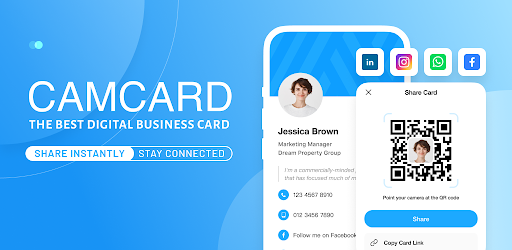
Share your digital card via personalized SMS, email, or a unique URL. Use QR codes for quick and easy sharing.

Email Signatures & Virtual Backgrounds
Create a professional email signature linked to your digital card and design virtual backgrounds to showcase your brand.

Accurate Business Card Scanner
Rely on CamCard's advanced scanning technology for accurate card reading, complemented by professional manual verification for higher accuracy.

Business Card Management
Easily organize contacts with notes and tags, and sync them to your CRM.

Data Security
CamCard is ISO/IEC 27001 certified, ensuring top-tier data protection and privacy compliance.

Get CamCard Premium for exclusive features:

Export business cards to Excel.
Sync business cards with Salesforce and other CRM systems.
Access exclusive business card templates and backgrounds for members.
Enjoy an ad-free user experience.
Secretary Scan Mode: Have your secretary scan cards for you.
VIP Recognition: Exclusive symbol for premium accounts.

Premium Subscription Pricing:
- $9.99 per month
- $49.99 per year

Payment Details:

1) Your subscription will be charged to your Google Play account upon confirmation of purchase.
2) The subscription is automatically renewed within 24 hours prior to the end of the current period unless you cancel the subscription, and your account will be charged for the renewal.
3) You can manage your subscription and turn off auto-renewal in your Google Play account settings.

Elevate your networking with CamCard—download now and start building connections effortlessly!

For the Privacy Policy, please visit: https://s.intsig.net/r/terms/PP_CamCard_en-us.html

For the Terms of Service, please visit: https://s.intsig.net/r/terms/TS_CamCard_en-us.html


Recognition Languages:
English, Spanish, French, German, Portuguese, Italian, Traditional Chinese, Simplified Chinese, Danish, Dutch, Finnish, Korean, Norwegian, Japanese, Hungarian, and Swedish.

Contact us at asupport@intsig.com
Follow us on Facebook | X (Twitter) | Google+: CamCard
Bug fixes and performance improvements for a better experience.
Allows an application to read the user's contacts data.
Allows an application to write the user's contacts data.
Required to be able to access the camera device.
Allows an application to record audio.
Allows access to the list of accounts in the Accounts Service.
Allows an application to read from external storage.
Allows applications to open network sockets.
Allows applications to access information about networks.
Allows an application to record audio.
Allows an app to access precise location.
Allows an app to access approximate location.
Allows applications to access information about Wi-Fi networks.
Allows an application to request installing packages.
Allows access to the vibrator.
Allows an application to modify global audio settings.
Allows mounting and unmounting file systems for removable storage.
Allows an application to read the user's calendar data.
Allows an application to write the user's calendar data.
Allows an application to modify the current configuration, such as locale.
Allows an application to read or write the system settings.