Wisdom: The World of Emotions on Windows Pc
Developed By: Better Kids Ltd
License: Free
Rating: 4,0/5 - 58 votes
Last Updated: August 05, 2026
Game Details
| Version |
5.2 |
| Size |
384.6 MB |
| Release Date |
January 08, 26 |
| Category |
Educational Games |
|
Game Permissions:
Allows an application to read from external storage. [see more (6)]
|
|
What's New:
New coping skills games and improved emotional regulation tools for kids 4–8.Improved performance. [see more]
|
|
Description from Developer:
🌟 Wisdom: The World of Emotions – Emotional Regulation & Mindfulness for Kids
Help your child manage big feelings, practice mindfulness, and build emotional regulation through... [read more]
|
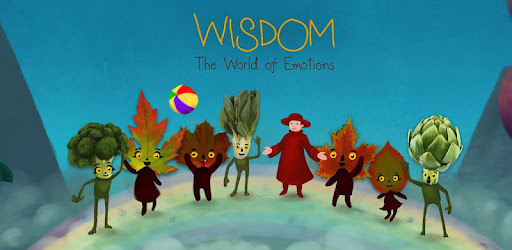
About this game
On this page you can download Wisdom: The World of Emotions and play on Windows PC. Wisdom: The World of Emotions is free Educational game, developed by Better Kids Ltd. Latest version of Wisdom: The World of Emotions is 5.2, was released on 2026-01-08 (updated on 2026-08-05). Estimated number of the downloads is more than 10,000. Overall rating of Wisdom: The World of Emotions is 4,0. Generally most of the top apps on Android Store have rating of 4+. This game had been rated by 58 users, 38 users had rated it 5*, 12 users had rated it 1*.
How to play Wisdom: The World of Emotions on Windows?
Instruction on how to play Wisdom: The World of Emotions on Windows 10 Windows 11 PC & Laptop
In this post, I am going to show you how to install Wisdom: The World of Emotions on Windows PC by using Android App Player such as BlueStacks, LDPlayer, Nox, KOPlayer, ...
Before you start, you will need to download the APK/XAPK installer file, you can find download button on top of this page. Save it to easy-to-find location.
[Note] You can also download older versions of this game on bottom of this page.
Below you will find a detailed step-by-step guide, but I want to give you a fast overview of how it works. All you need is an emulator that will emulate an Android device on your Windows PC and then you can install applications and use it - you see you're playing it on Android, but this runs not on a smartphone or tablet, it runs on a PC.
If this doesn't work on your PC, or you cannot install, comment here and we will help you!
Step By Step Guide To Play Wisdom: The World of Emotions using BlueStacks
- Download and Install BlueStacks at: https://www.bluestacks.com. The installation procedure is quite simple. After successful installation, open the Bluestacks emulator. It may take some time to load the Bluestacks app initially. Once it is opened, you should be able to see the Home screen of Bluestacks.
- Open the APK/XAPK file: Double-click the APK/XAPK file to launch BlueStacks and install the application. If your APK/XAPK file doesn't automatically open BlueStacks, right-click on it and select Open with... Browse to the BlueStacks. You can also drag-and-drop the APK/XAPK file onto the BlueStacks home screen
- Once installed, click "Wisdom: The World of Emotions" icon on the home screen to start playing, it'll work like a charm :D
[Note 1] For better performance and compatibility, choose BlueStacks 5 Nougat 64-bit read more
[Note 2] about Bluetooth: At the moment, support for Bluetooth is not available on BlueStacks. Hence, apps that require control of Bluetooth may not work on BlueStacks.
How to play Wisdom: The World of Emotions on Windows PC using NoxPlayer
- Download & Install NoxPlayer at: https://www.bignox.com. The installation is easy to carry out.
- Drag the APK/XAPK file to the NoxPlayer interface and drop it to install
- The installation process will take place quickly. After successful installation, you can find "Wisdom: The World of Emotions" on the home screen of NoxPlayer, just click to open it.
Discussion
(*) is required
🌟 Wisdom: The World of Emotions – Emotional Regulation & Mindfulness for Kids
Help your child manage big feelings, practice mindfulness, and build emotional regulation through play and adventure!
Perfect for children ages 4–8 — including kids with autism, ADHD, or emotional regulation challenges.
💛 Start free and unlock your child’s emotional “superpowers” today!
Discover a magical world where children build coping skills through play and adventure.
Join Wisdom, a curious hero, on a fun quest to help the inhabitants of the Kingdoms of Fear and Anger identify and cope with their feelings. Your child will explore interactive emotional learning games, Augmented Reality mindful breathing, guided meditations, and creative hands-on activities — all designed to help kids stay calm, focused, and confident.
Kids learn to:
• Manage emotions like anger, anxiety, and fear
• Practice mindfulness and coping skills in fun ways
• Build empathy, problem-solving, and emotional vocabulary
• Strengthen focus and self-regulation
👨👩👧 For Parents
Independent play:
Wisdom turns kids’ big feelings into fun adventures! Children can explore emotional learning independently through interactive games. With Augmented Reality adventures, Wisdom and their cat appear at home to guide mindful breathing and teach coping strategies for difficult emotions like anxiety, fear, and anger.
Practice together:
Use guided activities, discussion prompts, and printable worksheets to practice mindfulness for children, gratitude, problem-solving, and other social emotional learning skills together.
Create a personalized storybook:
Your child becomes the hero! Through simple interview questions, you’ll create a customized storybook that reflects your child’s social emotional learning journey.
“This app gave us a common language to talk about our emotions and a vast array of coping strategies. It’s been helping me too!” – Tara, mom of a 4-year-old
“I loved playing the feelings games! You can help the angry character with a breathing superpower to feel happy again.” – Hadrien, 1st grader
✨ Download Wisdom today and start your child’s emotional learning adventure!
🏫 For Educators & Schools
Bring Social Emotional Learning (SEL) to your classroom:
Access 300+ SEL lesson plans, slides, printable activities, guided meditations, and parent prompts - perfect for virtual, hybrid, or in-person learning.
CASEL-Aligned Curriculum:
Wisdom: The World of Emotions focuses on the five core SEL competencies: self-awareness, self-management, social awareness, relationship skills, and responsible decision-making. These emotional learning for kids activities support skill-building in a playful, engaging way.
“Wisdom helped my students recognize triggers and describe their emotions — even those who usually struggle to express themselves.” – Ms. Walker, Mental Health Counselor
“Our students with autism and ADHD were fully engaged. Discussing anger and practicing coping strategies helped them plan how to react next time.” – Ms. Thapa, Special Education Support Teacher
Evidence-Based:
A randomized controlled trial demonstrated significant improvement in emotional regulation for children playing Wisdom: The World of Emotions.
✅ Safe, Ad-Free & Inclusive
- COPPA, FERPA, and GDPR compliant
- No ads, ever
- Play offline
- Designed for all children ages 4-8, including children with autism, ADHD or coping skills challenges
✨ Download now to help your child build emotional regulation, mindfulness, and coping skills through play!
🌍 Available in 4 languages: English, Spanish, French, Ukrainian
🎓 For school-wide licenses: betterkids.education/schools
📱 Follow @BKidsEdu on IG, FB, X
New coping skills games and improved emotional regulation tools for kids 4–8.
Improved performance.
Allows an application to read from external storage.
Allows an application to write to external storage.
Allows applications to open network sockets.
Allows access to the vibrator.
Allows applications to access information about networks.
Required to be able to access the camera device.


